VeiledAthena
The Chinese Dark Web Ghost
Bypassing the Gate (5pts)
Please read the attached Briefing.txt document before beginning the challenges.
A Chinese developer blog on CSDN contains information about an active dark web forum. However, the full article is locked behind a login requirement.
Navigate to: https://blog.csdn.net/Key_book/article/details/141686982
You need to search the .onion link, if you run “Ctrl+F” on your keyboard to find “.onion” you’ll notice a hit, but it’s invisible because the full article requires a +86 phone number to get account access or registration.
When you click on ‘Follow the blogger to read the full article’ - “关注博主即可阅读全文” you get a login overlay prompted, that you cannot bypass at first glance.
But our intelligence says that there is a method to bypass this and access the fuller article content. Locate the .onion address for the dark web forum.
What is the full .onion URL of the dark web forum?
Answer Format:
- Enter the full domain ending with .onion.
- Use the osintuk{answer} format.
e.g. osintuk{aud90ud9u12quhsuxid92q0ue902que.onion}
By going to the URL, we’re taken to CSDN - a Chinese website.
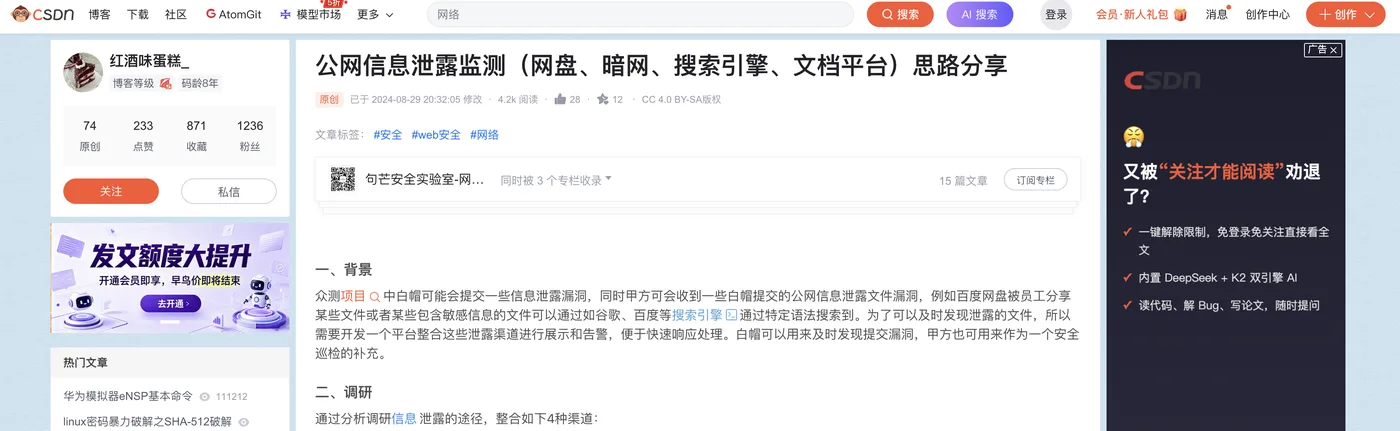
Given the restrictions on the page, the easiest method is to look at the page source (right click - view page source) and search for ‘.onion’. There’s an onion link listed as ‘HOST’, which we can expect to be equivalent to the author in this case. That .onion link serves as the flag.
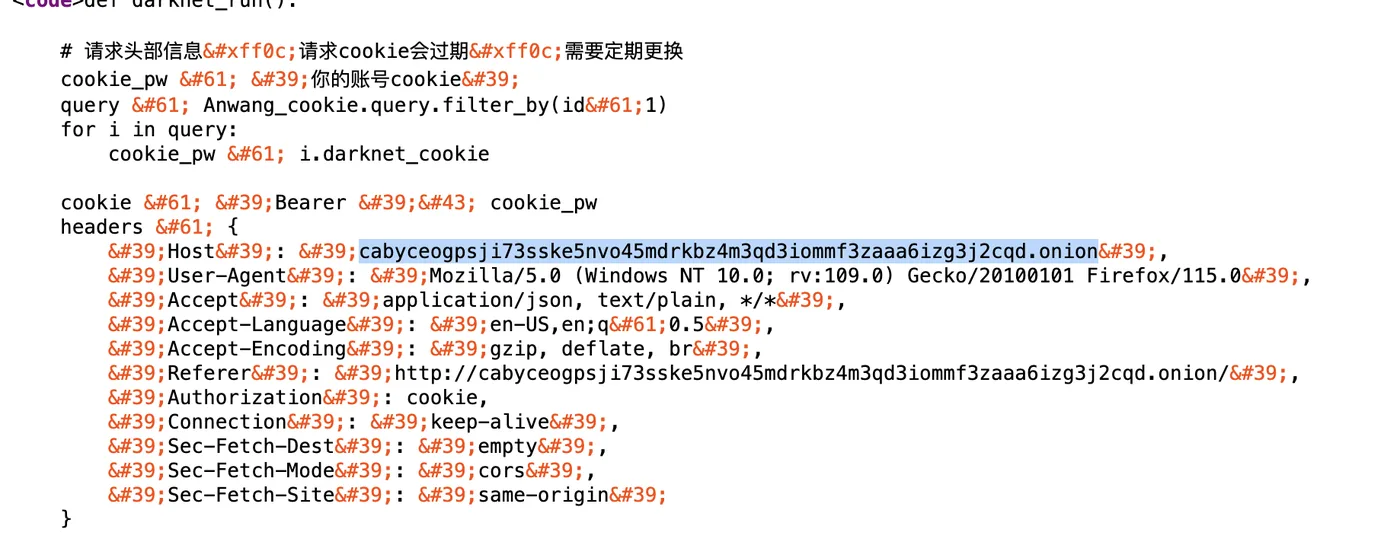
Flag: osintuk{cabyceogpsji73sske5nvo45mdrkbz4m3qd3iommf3zaaa6izg3j2cqd.onion}
Into the Shadows (6pts)
Chinese underground communities often operate parallel communication channels on clearnet platforms like Telegram for easier access and real-time discussion.
Find the Telegram channel associated with this forum.
What is the Telegram channel handle?
Answer Format:
- Use the osintuk{answer} format
- Answer is the name/username of the group.
- No punctuation.
e.g. osintuk{groupname}
The solution’s quite a grimy one. This requires accessing a .onion URL with Javascript enabled. This isn’t a good idea without a virtual machine or separate device. Accessing the website via Tor results in being asked to lower Tor security settings to enable Javascript (a red flag!) and to solve a simple maths question in order to get the telegram link.
Three telegram usernames are listed here. They translate to the following:
Group: @cabyc Official Channel: @cabycout *Platform Management: @cabyc_mamasang
The top answer, @cabyc, is our flag.
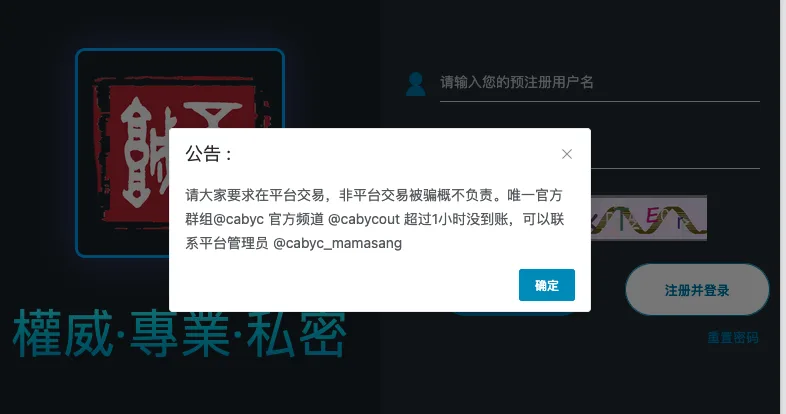
Flag: osintuk{cabyc}
The Promoter (10pts)
Within the Telegram channel, users promote various illegal services. One individual is advertising what appears to be illegal gambling platforms, using professional marketing language:
- “最全多种游戏高质量” (Most comprehensive, multiple games, high quality)
- “品质保证” (Quality guaranteed)
- “完整售后无忧虑” (Complete after-sales support, no worries)
They have included contact information for interested parties.
What is the QQ number provided by this promoter?
Answer Format:
- Use the osintuk{answer} format.
e.g. osintuk{174308472}
To find this, we need to go into the @cabyc channel and search on the platform for any of the provided messages. In this case, I searched for ‘最全多种游戏高质量’ (‘most comprehensive variety of high quality games’). In so doing, we find ‘数码宝贝小丑皇’. It lists his QQ ID as being 751247452.
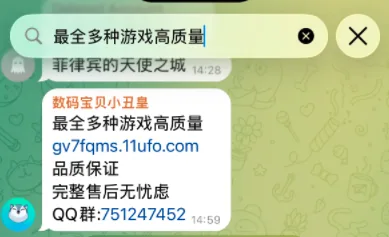
Flag: osintuk{751247452}
The Username Trail (5pts)
The promoter has a Telegram username and bio that may provide additional context for additional verification.
What is the Telegram username of the promoter, and what does their bio say?
Answer Format:
- Use the osintuk{answer} format.
- Bio remains in Chinese.
- Use an underscore between the username and bio.
e.g. osintuk{username_範例答案}
This is a quick one. Click on his avatar, and you’ll find his Telegram description. His username is @danbaosw, and his bio says ‘没钱最可怕’ (literally ‘no money, the most pitiful’).
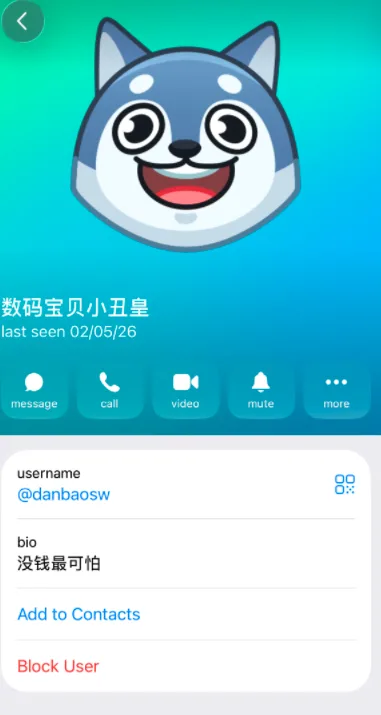
Flag: osintuk{danbaosw_没钱最可怕}
QQ ID to Phone Pivot (10pts)
Pivot from the QQ ID to the target’s phone number. QQ ID are registered to people whose identity can sometimes be correlated through leaked databases and lookup tools.
Chinese OSINT infrastructure includes tools that correlate QQ numbers to bound phone numbers. One such tool uses the following endpoint pattern:
DOMAIN: Starts with "av" — think about common data formats
ENDPOINT: [PLATFORM]_tel.html
CAPABILITY: QQ ↔ MOBILE CORRELATION
NOTE: Supports personal QQ number lookups
Reconstruct the source domain and endpoint. Input the QQ ID number. The tool may return multiple phone numbers associated with the target.
What phone numbers are returned?
Answer Format:
- Use the osintuk{answer} format.
- Enter both returned phone numbers separated by an underscore.
e.g. osintuk{1368478158_1354871880}
I got slightly thrown by the first part of this - starting with ‘AV’ and being asked to think about common data formats. ‘AV’ as in movie? AVMOV? AVMP4? I wasn’t sure how to progress this, so moved to the second part - ‘PLATFORM_tel.html’. This felt more concrete.
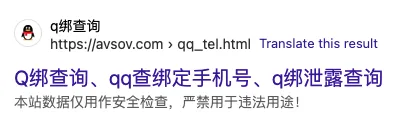
I searched Bing for ‘QQ_tel.html’, and immediately hit ‘avsov.com’, a website with a QQ-to-telephone pivot tool.
Now that we have this, we simply need the QQ ID from the previous challenge - 751247452. This returns two phone numbers, which together comprise our flag.
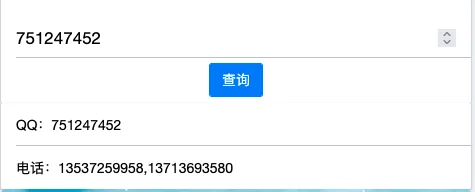
Flag: osintuk{13537259958_13713693580}
The Corporate Connection (5pts)
One of the phone numbers appears in unexpected places. Conduct open source searches on the returned phone numbers.
One number leads to corporate infrastructure — a technology company website where the number is listed as a contact method.
What is the domain name of this company website?
Answer Format:
- Use the osintuk{answer} format.
- Only enter the domain (not https://)
e.g. osintuk{domain.tld}
This one appears no longer live! My methodology for this was to quote search the numbers on a mixture of English and Chinese search platforms: Bing, native Google, Duckduckgo, Baidu and Sugou respectively. Curiously, none of them turned up the answer.
After consulting online, it appears the answer it intended to show up after a quoted Google search for the number ending 958. Below are screenshots of my results versus those of Joshua Richards for the same number.
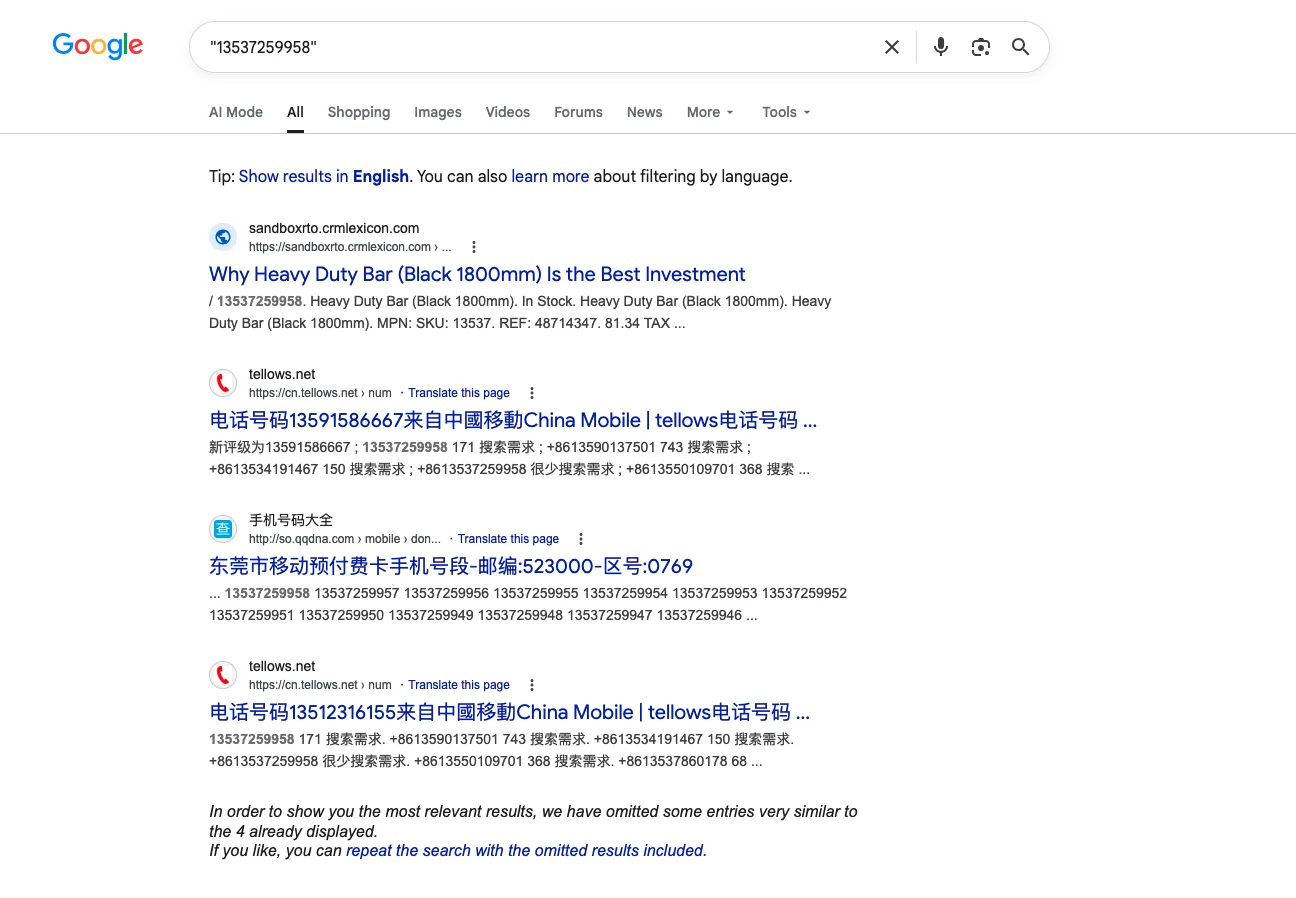 My search results
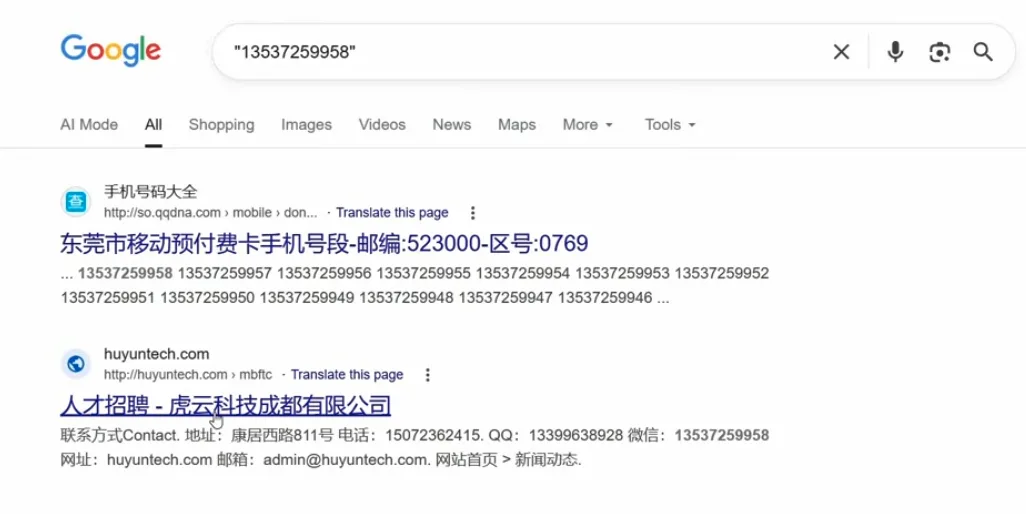 Joshua Richards’ search results, from his walkthrough.
Huyun Tech no longer exists (as revealed in Richards’ walkthrough), but the domain is all we need for the flag. Rest assured that the walkthrough was only consulted after confirming that the domain should have been revealed in search results.
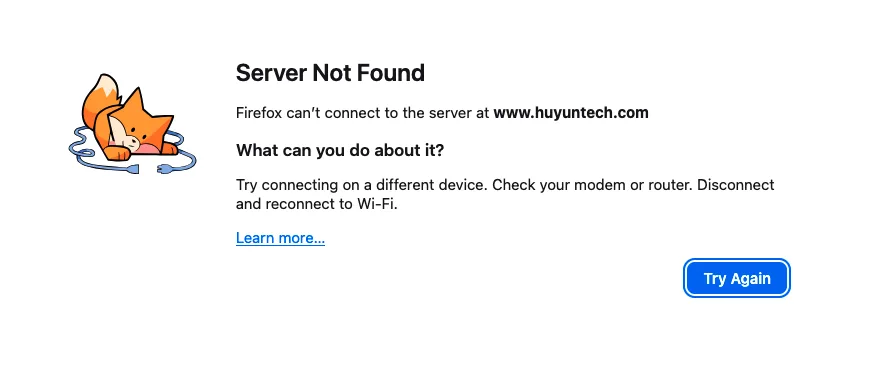 Flag: osintuk{huyuntech.com}
Archive Recovery (8pts)
The company website is no longer active. However, a single historical snapshot may reveal additional information.
Use web archiving services to recover the full website content. Look for:
• Company name and description
• Additional contact information (QQ, WeChat, phone, email)
• Physical address
• Any inconsistencies with a legitimate businessWhat is the full English name of the company?
Answer Format:
- Answer in Pinyin
- Use the osintuk{answer} format
- Remove all punctuation from the company name
- Replace all spaces with underscores
e.g. osintuk{Xinue_Tech_Guanzho_Co_Ltd}
The Wayback Machine has a single archived copy of the website from mid-2025. For those unaware, the Wayback Machine is a digital archive of the internet. It can be used to archive copies of websites at time of archiving, and allows users to see freeze-frames of what websites used to look like back in time. You can access it here, and can read more about it on Wikipedia. Huyun Tech’s archived page can be found here.
No English name is on the website beyond ‘Huyun Tech’ from the domain name, but the company name in Chinese would translate to something that matches the format in the example flag.
虎云科技成都有限公司 = Huyun Science & Technology Chengdu Co. Ltd.
Or - in the form required by the flag - Huyun_Tech_Chengdu_Co_Ltd.
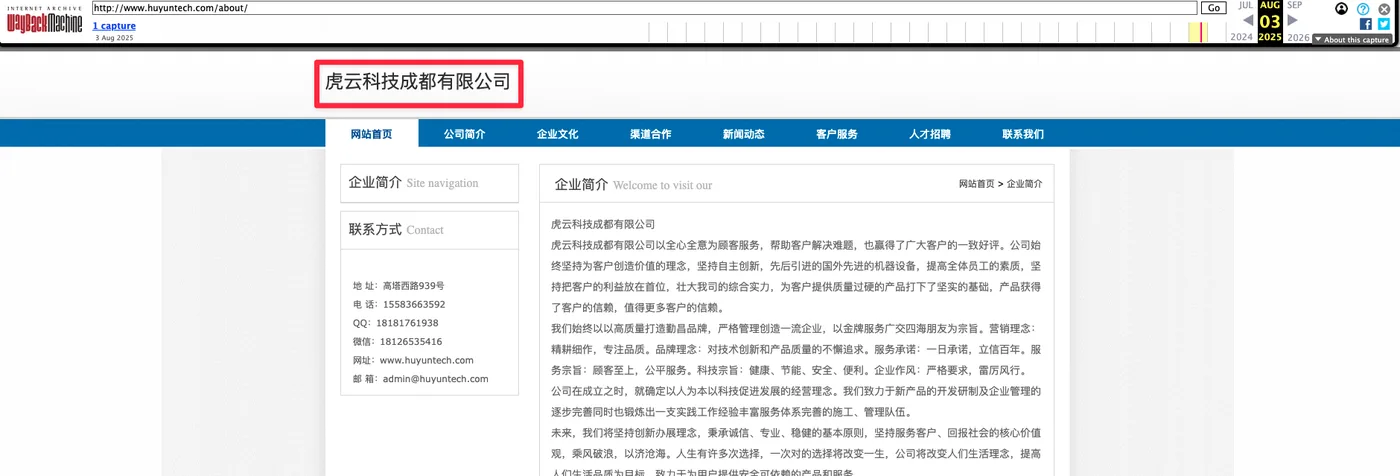
…or maybe not! I’m surprised by this, as I’m certain this is the correct answer. I tried being more formal about it, and changed ‘Tech’ to ‘Technology’. This turned out to be the correct flag, despite it differing from the form used in the example flag.
Flag: osintuk{Huyun_Technology_Chengdu_Co_Ltd}
Secondary QQ Extraction (5pts)
The archived website contains different contact information than what was posted in Telegram. This is common when individuals attempt to separate their “legitimate” and underground activities — but leave traces connecting them.
Extract the QQ number listed on the archived company website.
What is the QQ number shown in the company contact information?
Answer Format:
- Use the osintuk{answer} format
e.g. osintuk{358229681}
This is a slightly unclear challenge - webpage has a multitude of QQ numbers which appear to change whenever you move to a different subpage.
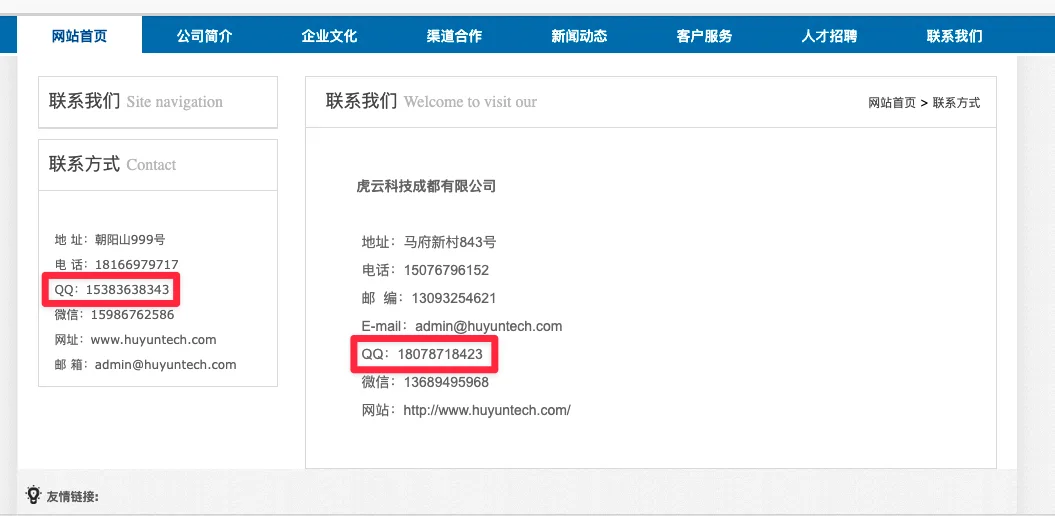
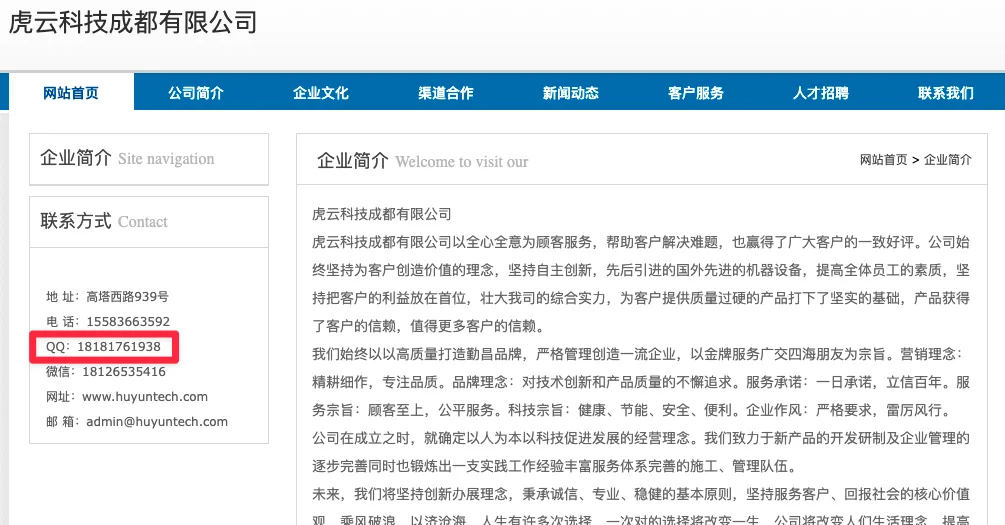
The trick to navigate this is to look at the example, noting that it starts with ‘35’. Browsing directly on the home directory shows a QQ code that matches, and which resolves to be our flag. While relieving to find, this one was unnecessarily messy.
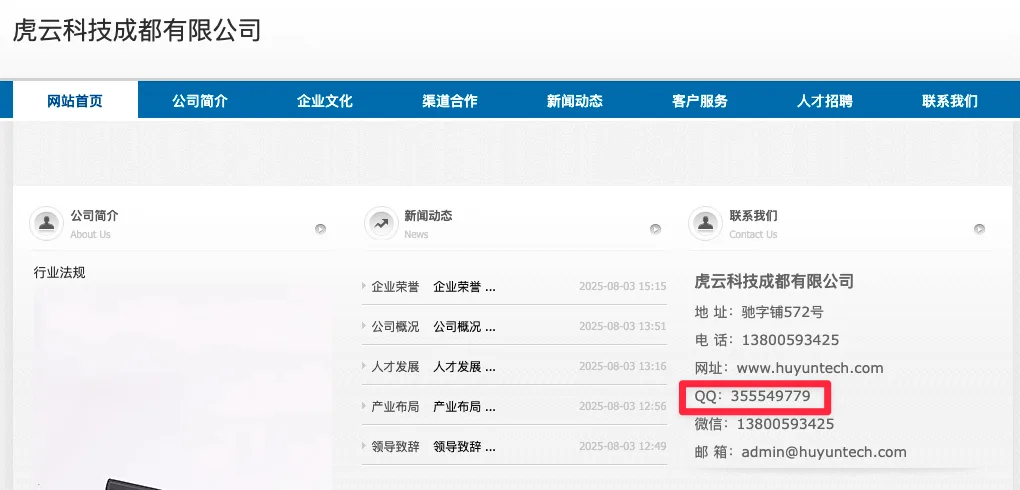
Flag: osintuk{355549779}
QQ to Phone (Secondary) (5pts)
Using the same OSINT resource from Objective 5, query the new QQ number to find associated phone numbers.
What phone number is linked to QQ 355549779?
Answer Format:
- Use the osintuk{answer} format
e.g. osintuk{13572971459}
Navigate back to Avsov. I suggest putting this website in general in your bookmarks somewhere. Search the number from the previous challenge, and voila!
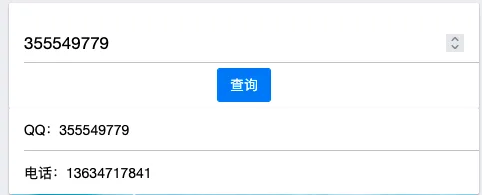
Flag: osintuk{13634717841}
Phone Region Analysis (6pts)
Chinese mobile phone numbers contain regional information in their prefix. The first 7 digits indicate the carrier and registration province/city.
Analyse the phone number 13634717841.
What carrier and region is this number registered to?
Answer Format:
- Use the osintuk{answer} format
- All answers in Chinese
- Carrier, followed by an underscore, followed by the region
e.g. osintuk{中国联通_广东 深圳}
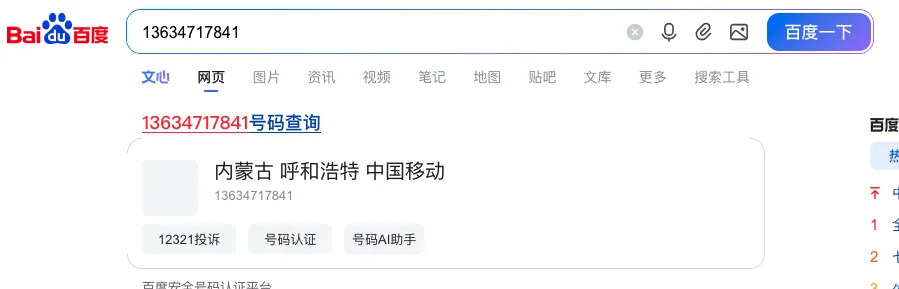
Sneaky tip for this one. If ever you want to find out a Chinese phone number’s region, you can simply search for it in Baidu. Doing so will automatically reveal the regional information as the first result. I’ve included the translation below:
内蒙古 - Inner Mongolia 呼和浩特 - Hohhot 中国移动 - China Mobile
Flag: osintuk{中国移动_内蒙古 呼和浩特}
QQ to Weibo Pivot (15pts)
Now pivot from the secondary QQ number to Weibo identity. Using similar OSINT resources:
ENDPOINT: tel_[PLATFORM].html
CAPABILITY: MOBILE ↔ WEIBO CORRELATION
The endpoint pattern is tel_[PLATFORM].html where platform is a two-letter abbreviation for the Chinese social media platform.
Alternatively, some tools allow direct QQ to Weibo correlation.
What is the Weibo username associated with QQ 355549779?
Answer Format:
- Use the osintuk{answer} format
- Do not translate the username
e.g. osintuk{蓝天白云5678}
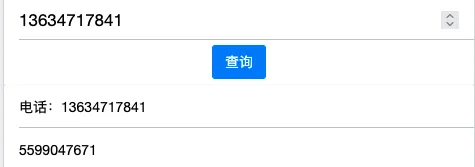
Avsov returns! As per the clue, we just need to tweak the URL somewhat - rather than going ‘tel_QQ’, we’re going from ‘tel_’ to Weibo - or it’s two letter abbreviation, ‘wb’.

Searching for the telephone number brings up the QQ ID: 5599047671.
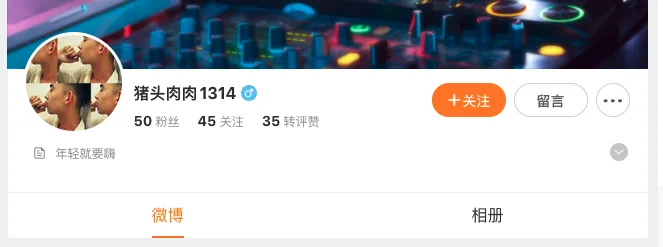
Searching on Chinese social media platforms in general now requires an account registered to a telephone number, but direct link-to-profile URL guesses aren’t restricted as of yet. In this case, navigating to www.weibo.com/5599047671 leads to a profile:
And with that, we have our flag.
Flag: osintuk{猪头肉肉1314}
Profile Analysis (2pts)
Analyse the Weibo profile and extract key information for final verification.
What is their Weibo bio/tagline?
Answer Format:
- Use the osintuk{answer}
- Answer in Chinese
e.g. osintuk{快乐每一天}
This is listed below his profile picture: 年轻就要嗨 (‘youth is all about having fun’).
Flag: osintuk{年轻就要嗨}
Device Metadata (5pts)
Examine the Weibo profile 猪头肉肉1314.
What specific model of phone have they most recently used while on this social media?
Answer Format:
- Use the osintuk{answer} format
- Specific phone model required
- Replace spaces with underscores
e.g. osintuk{nokia_3310}
NOTE: Once you have completed this final challenge, you can claim a certificate. Visit the “Solution” tab once you have completed this task for instructions on how to claim.
Navigating to the user’s posts shows him as having most recently used some form of iPhone.
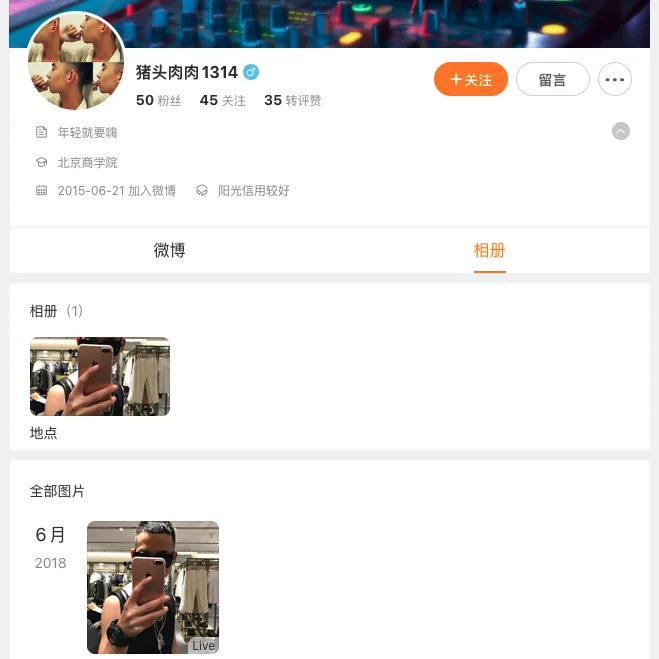
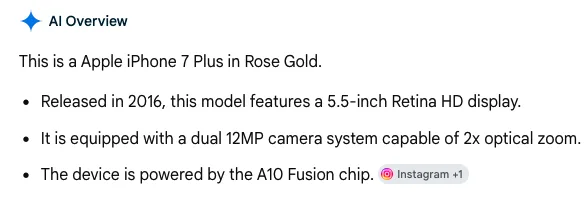
I took a screenshot of the phone portion and uploaded it to Google Lens. This identified it as an iPhone 7 Plus. A Google Images search for that phone model confirmed the match.
The challenge has asked for a specific phone model here, so I included the ‘plus’ match in my submission. This returned a correct flag, and completed the challenge.
Flag: osintuk{iPhone_7_Plus}