VeiledAthena
Operation Solarium
Digital Drop (5pts)
Welcome to Operation Solarium.
You are the lead OSINT researcher for a popular investigative technology podcast. For the last three months, you have been communicating with a whistleblower embedded inside a highly secretive digital privacy collective. They promised you a massive data dump, which would be the ultimate scoop for your season finale. However, yesterday, your informant went completely dark. Their final transmission was a single, cryptic digital image file. The trail is going cold, and the collective is moving fast to scrub their physical and digital tracks. It is up to you and your co-host, Alex, to follow the breadcrumbs, track down the group’s safehouse, and secure the story before it vanishes.
Alex here. The informant sent over this digital image file right before they went dark. It just looks like a standard graphic to me, but they don’t send pointless files. There must be something hidden in here. Let me know what you find.
Task: Analyse the image to identify any hidden elements. Provide the decoded password.
Answer Format:
- Use the osintuk{answer} format.
.>e.g. osintuk{password123}
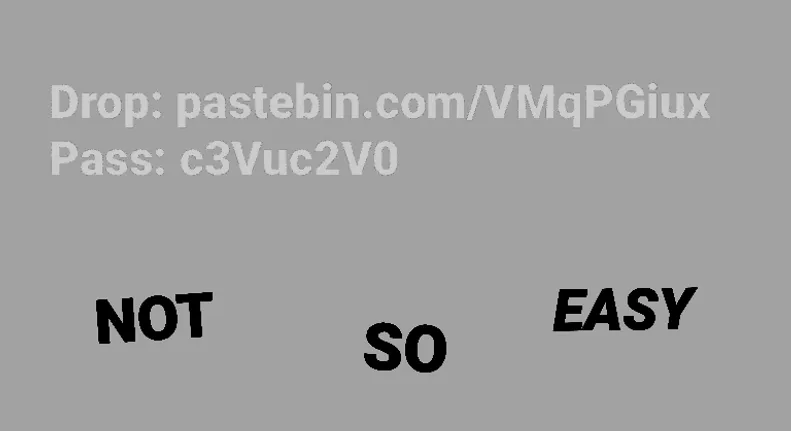
My immediate logic here is simple: picture is dark, ergo, message is likely to be found by playing with the brightness/contrast. I personally use the ‘Format Picture’ function in Microsoft PowerPoint to achieve this, but any competent image editor will suffice.
Some tweaking later, and sure enough, we find a URL and password.
URL: pastebin.com/VMqPGiux Password: c3Vuc2V0
This, however, throws me - which is my fault for ignoring the ‘provide the decoded password’ prompt in the challenge.
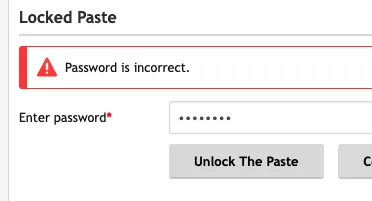
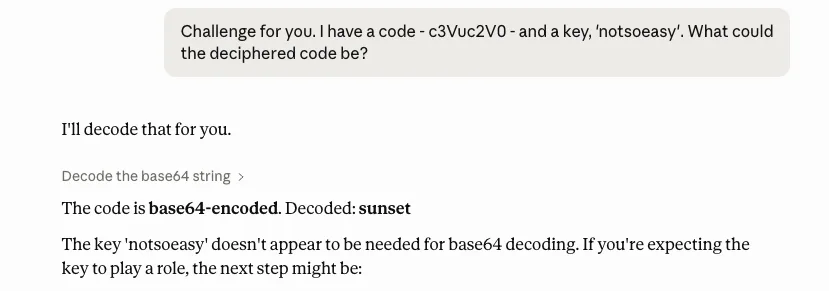
Rather than being an issue with the challenge, I strongly suspected that this is by design - the “password” is a cipher, and “notsoeasy” is the key. As I’m not sure which cipher this could be, I handed it over to Claude.
To my surprise, ‘notsoeasy’ wasn’t any form of key at all - the password was base64 encoded. Decrypting the cipher gives the password ‘sunset’, which unlocks the pastebin dump.
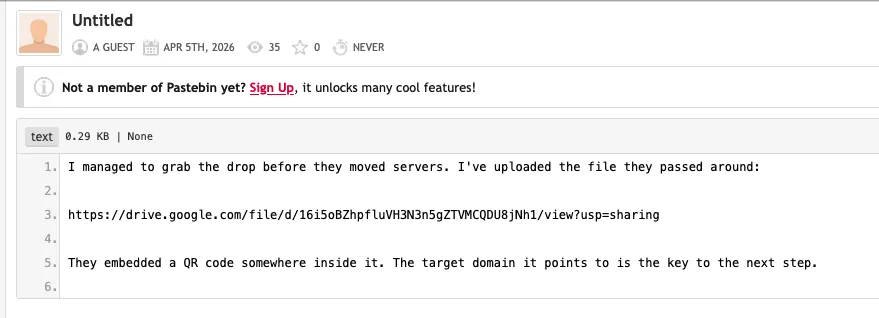
Flag: osintuk{sunset}
The Feed (7pts)
Alex: The Pastebin gave us a link to a long stock video and mentioned a QR code is embedded in it. I’ve watched it normally and couldn’t spot anything, so it must be incredibly brief.
Task: Analyse the provided video file and extract the hidden QR code. What is the domain it points to?
Answer Format:
- Use the osintuk{answer} format.
- Domain name only, not URL.
e.g. osintuk{example.com}
The Google Drive link contains a long, repeating video of a sunset. The challenge clue mentions there’s a ‘very brief’ QR code. I personally read this as there being one frame with a QR code in it.
To tackle this, I used ffprobe - part of ffmpeg - to scrape and analyse each frame within the video and, if any appeared to contain a QR code, to read it and to then stop.
After processing thousands of frames, ffprobe identified a frame with a QR code in it. It read it and halted frame extraction. The plaintext from the QR code just said ‘wait longer’.
Ruthless.
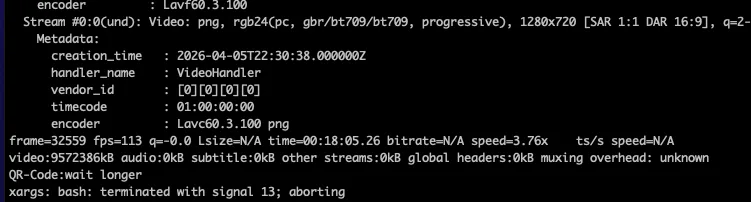
I reset the command to analyse all QR codes within the video, rather than stopping at the first one. 10 QR code frames were identified in total, with the tenth containing a link to US government archives - thereby giving us the flag.
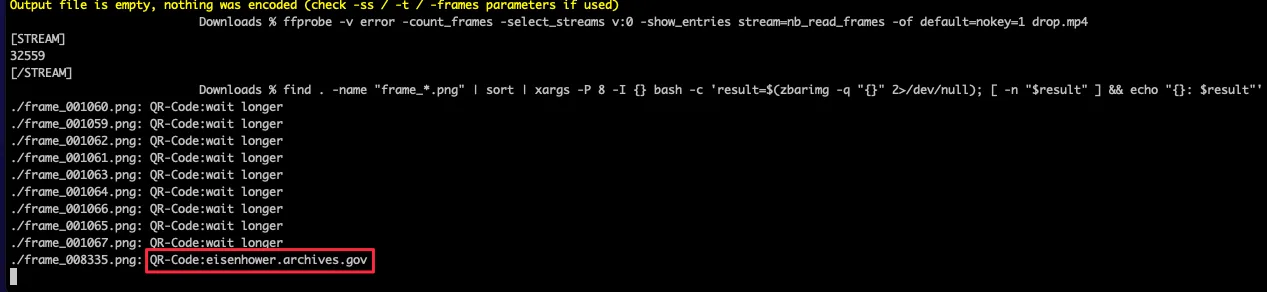
Flag: osintuk{eisenhower.archives.gov}
The Target File (10pts)
Alex: Good job pulling that domain. I was monitoring the group’s chatter, and they keep referencing a specific press release tied to that domain from 2006. They said it outlines some controversial “surveillance operations” but I can’t find it anywhere on the website right now.
Task: Locate the 2006 document mentioned above. To verify you have the exact file the group is targeting, provide the SHA-256 hash of the PDF.
Answer Format:
- Use the osintuk{answer} format.
- Enter the SHA-256 hash.
e.g. osintuk{e3b0c44298fc1c149afbf4c8996fb92427ae41e4649b934ca495991b7852b855}
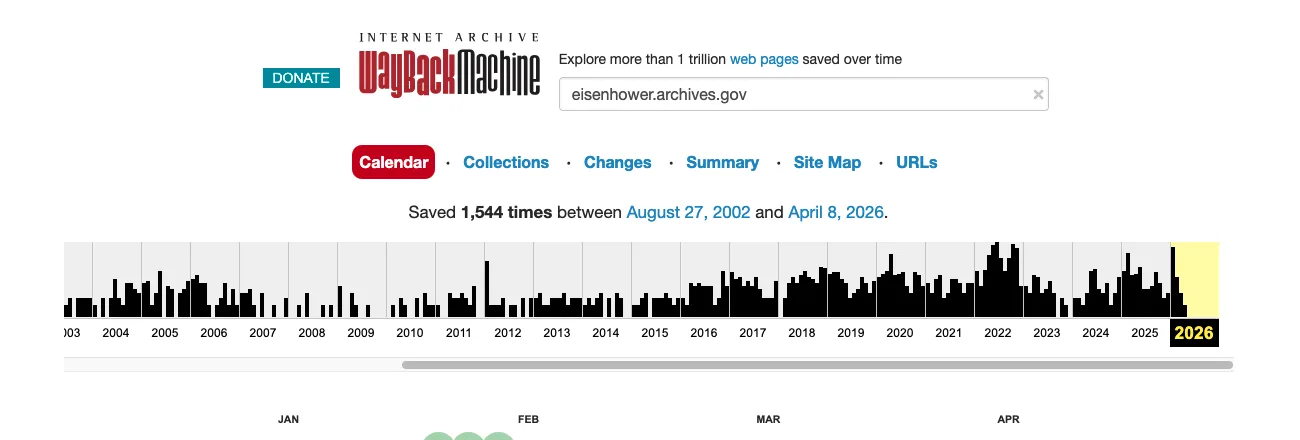
Tying the file to the ‘domain back in 2006’ is an immediate website archive indicator, so I went to the Wayback Machine. Rather than going for our usual tactic - looking for a specific dated cache of the website - I clicked on the URLs section.
The URL section not only shows archived URLs under the target domain, but also allows you to search through them. As we’re looking for a PDF from 2006, searching ‘pdf 2006’ within here is sufficient to narrow down the document pool.
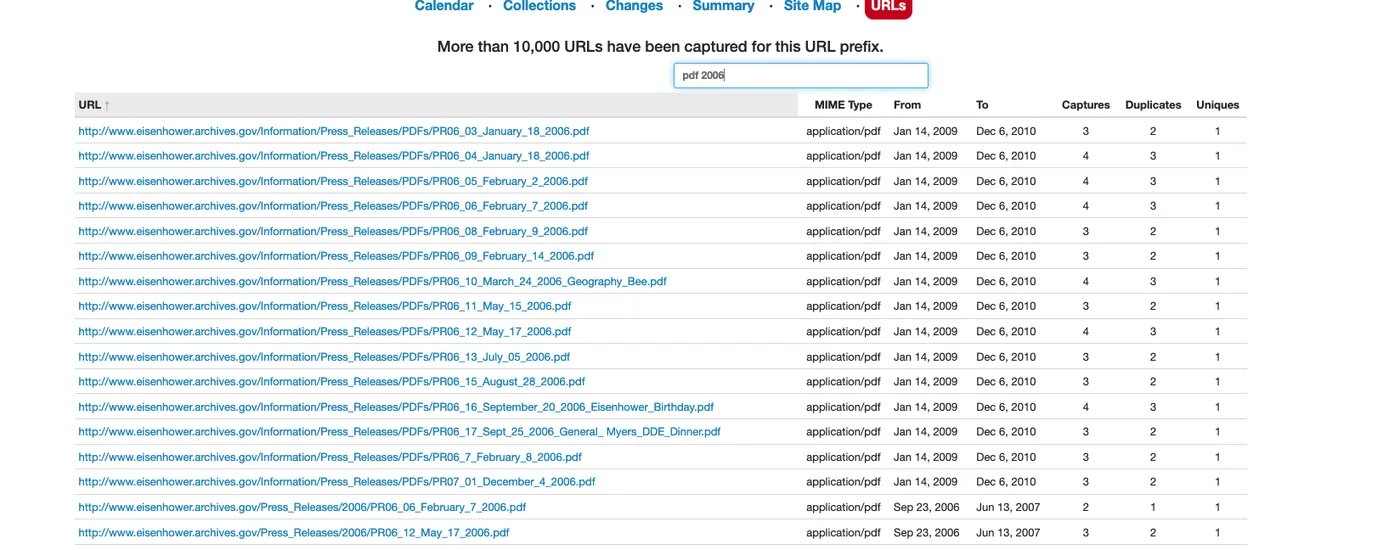
With this narrowed down, I started clicking through a few of the contender documents. The third document, PR06 05, appears to be the target. It references intelligence and surveillance operations undertaken during the Hoover administration.
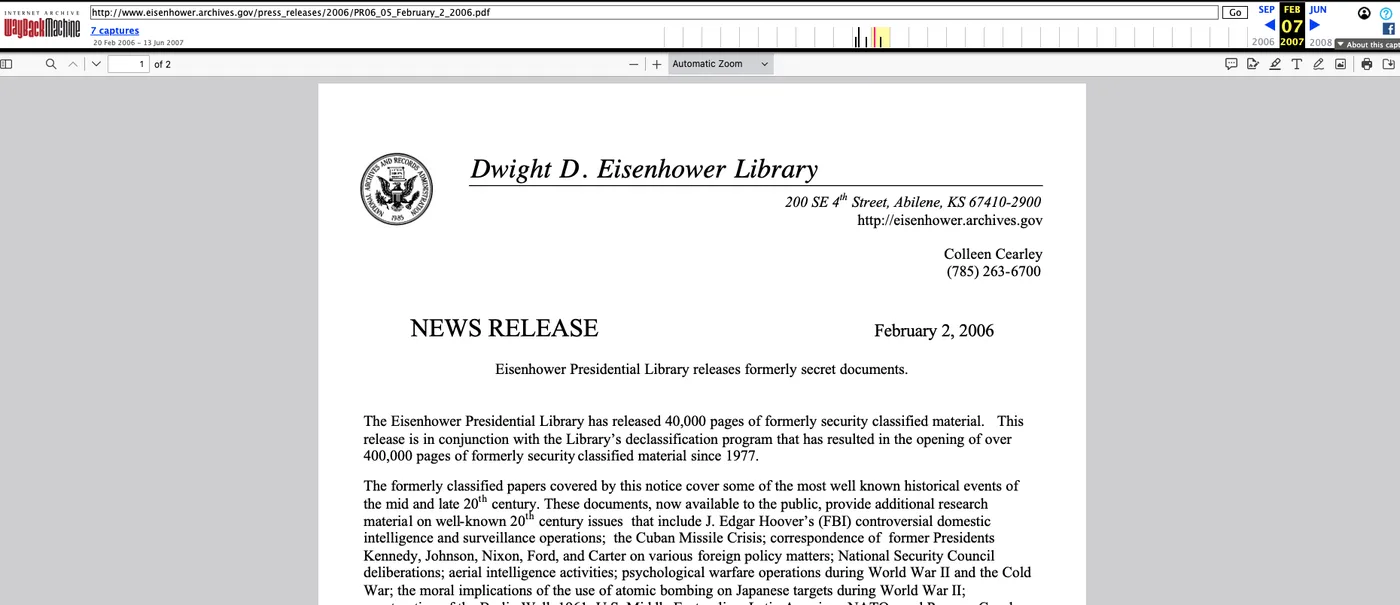
There are numerous ways to get the hash. Rather than use the CLI, I found it simpler to go to ExifTools and to upload the PDF document there. Doing so quickly retrieves various different hashes for the document, including SHA-256. This resolves flag.
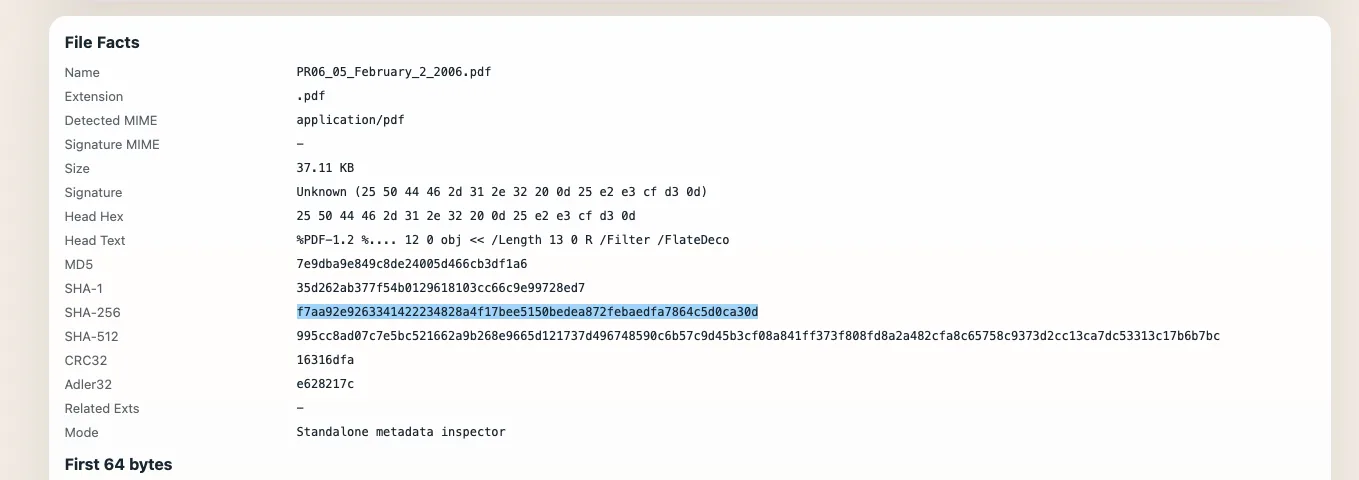
Flag: osintuk{f7aa92e9263341422234828a4f17bee5150bedea872febaedfa7864c5d0ca30d}
The Archivist (3pts)
Alex: We have the file. I still don’t understand why the group is so obsessed with this specific 2006 release, but they clearly view it as a foundational text. Let’s look at the digital fingerprints.
Task: Analyse the 2006 PDF. Identify the username of the person who created the PDF.
Answer Format:
- Use the osintuk{answer} format.
e.g. osintuk{jdoe}
This feels like a freebie! The same ExifTools result also contains the author information. It’s held slightly below the above screenshot, and shows the author to have been ‘hstitt’.
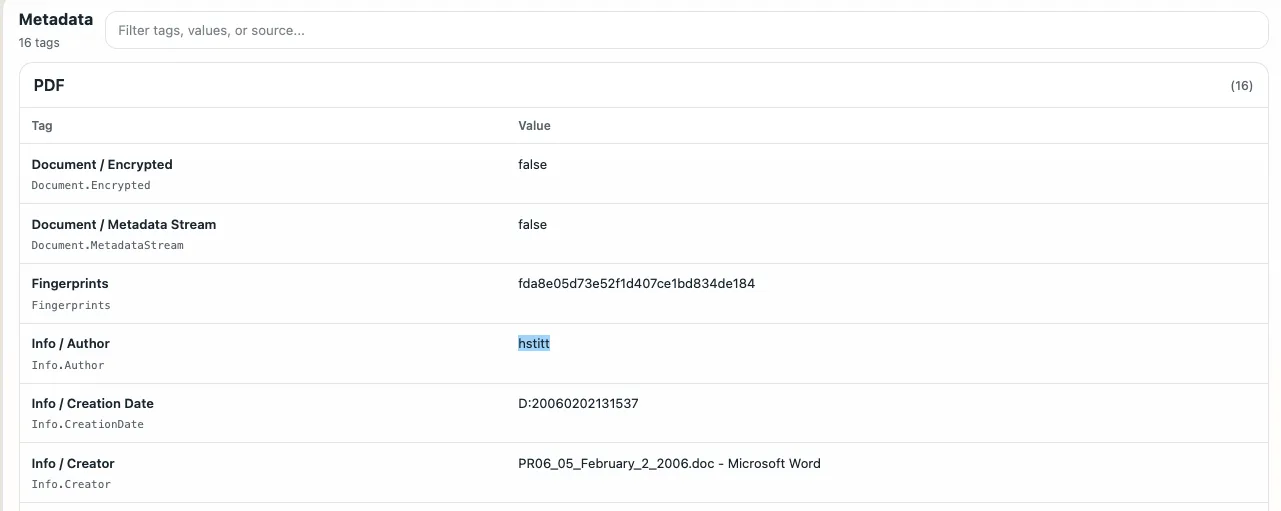
Flag: osintuk{hstitt}
The Burner (6pts)
Alex: You found the author’s name: ‘hstitt’. I was just reviewing some of our older research on how these types of groups operate. It turns out, they often have a weird inside joke where they adopt the names of the original archivists and authors from their target documents to use as their own online burner aliases.
Let’s see if our target is doing the same thing. Run a search and see if you can find a profile using this alias that looks like it belongs to our group.
Task: Investigate the username ‘hstitt’. Locate a relevant profile being used by the group as a dead drop. Provide the direct URL to the user’s profile.
Answer Format:
- Use the osintuk{answer} format.
- Include https:// and the path (full URL).
e.g. osintuk{https://www.example.com/hstitt}
I started by reconsidering what ‘our group’s characteristics were. Going back through the challenges, it’s clear that it’s a digital privacy-focused group with an interest in archived materials.
I used the CLI to run a query on Sherlock. This is a free tool for querying usernames against a raft of websites. Sherlock returned two results in this instance, neither of which matched the target.
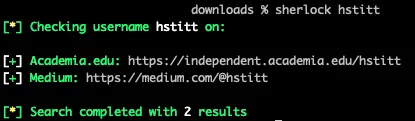
I then thought about what platforms someone who fits this category would likely be on. I tried Reddit as my next step, due to the platform’s proffered anonymity and extensive use of aliases. This found the target profile, which is identified through reference to the ‘sunset protocol’ and display name ‘Chief Archivist’.
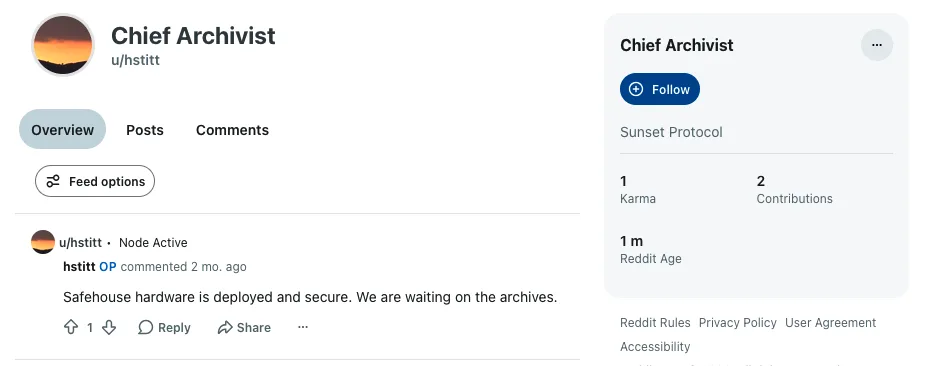
Flag: osintuk{https://www.reddit.com/user/hstitt/}
The Safehouse (6pts)
Alex: Great find on the Reddit profile. They seem to have made a post on their profile. Let’s see if we can get any leads from this visual confirmation that help us narrow down their location.
Task: Analyse the uploaded image on the Reddit profile. Identify the physical location (City and Country) the group appears to be currently operating from.
Answer Format:
- Use the osintuk{answer} format.
- Enter city, underscore, country.
e.g. osintuk{Madrid_Spain}
The image in question is an uploaded of a Macbook user at a desk.
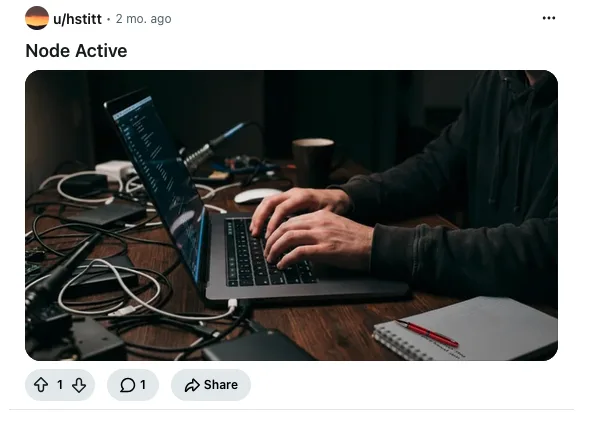
I started by putting the image through ExifTools - you never know - but no such luck this time. I can see that there’s text on the notepad and (possibly) visible text on the screen, so this struck me as a job for PowerPoint and Picfix. These can be used to rotate elements of the image and to correct the perspective of angled text.
The text on the notepad reads ‘privacy is not…’ with a password beginning ‘u7!’.
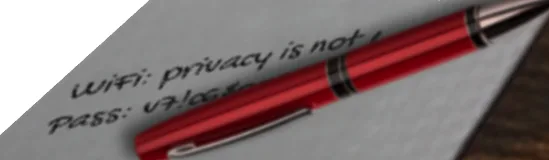
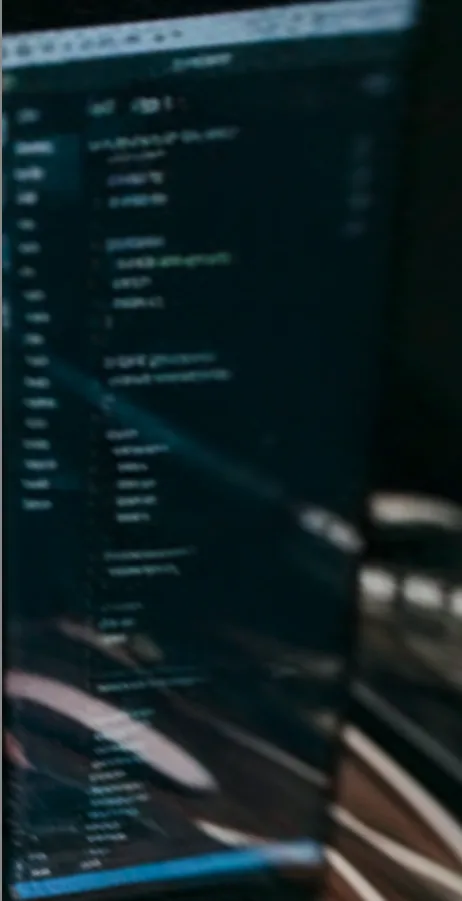
The corrected screen image doesn’t render any legible text, meaning the notepad text is our best bet to pivot from.
The partial WiFi (SSID) is sufficient to start cursory searches. I went to Wigle - a great website from where queries on wireless networks can be conducted free of charge.
Wigle allows partial searches to be done by using % as a wildcard operator, functionally equivalent to using * in Google. Searching ‘privacy is not %’ returned two promising results under the name ‘privacy is not negotiable’.
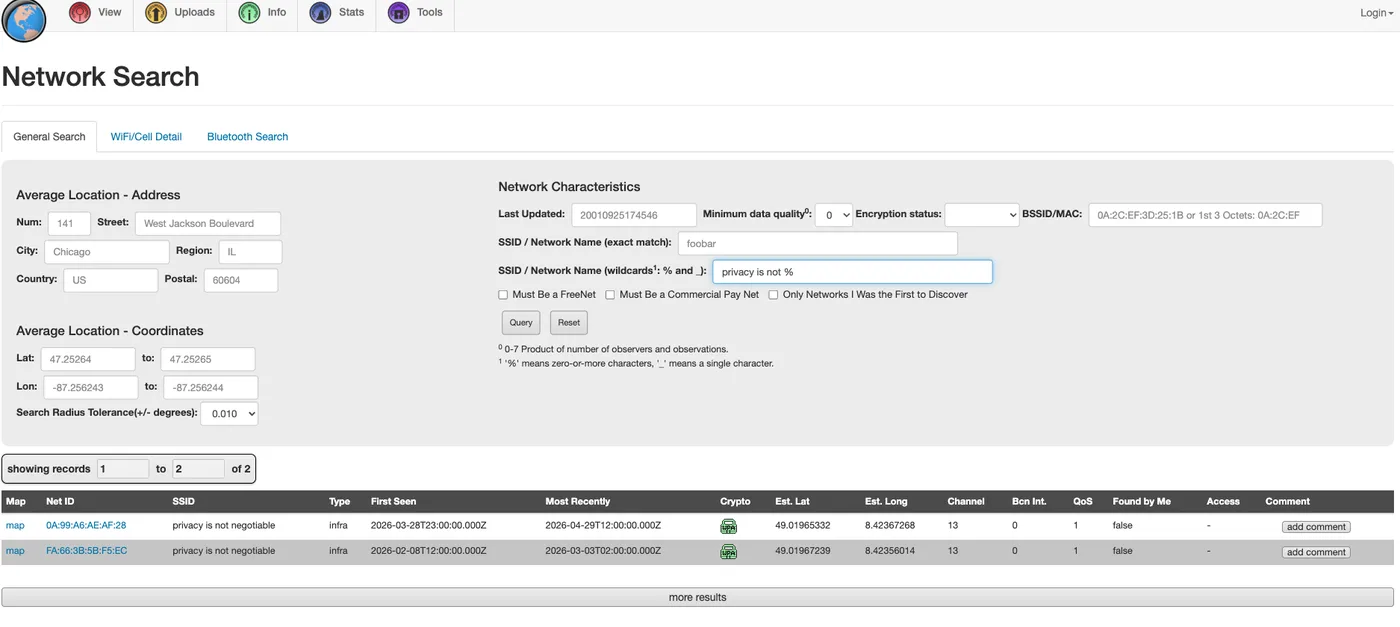
As you can see above, the website provides the coordinates for the location as well as a ‘map’ button. Both options point to Karlsruhe in Germany. This matches the German-language interface as seen in the Google Drive file earlier in this challenge series.
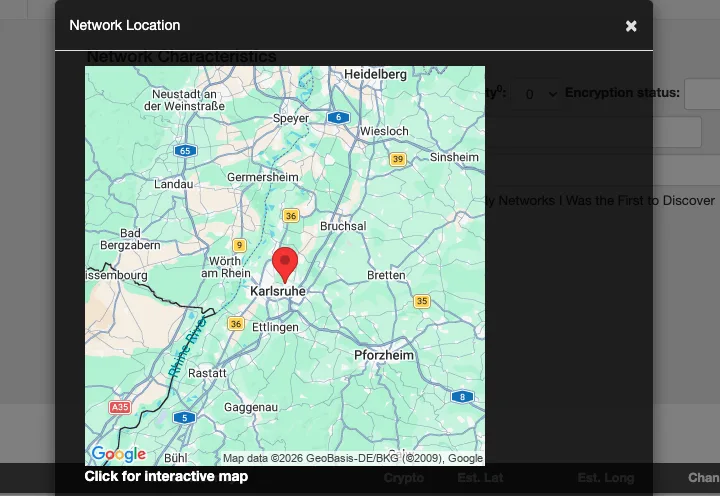
Flag: osintuk{Karlsruhe_Germany}
Dead Man’s Switch (3pts)
Alex: Pinpointing Karlsruhe ties everything together. I was wondering why a privacy collective would choose that specific city, but it makes perfect sense. Karlsruhe is the birthplace of the “Right to Informational Self-Determination”, the legal foundation of modern data privacy established by their highest court.
Just as you geolocated that safehouse, a secure automated email arrived from our whistleblower. It seems their dead man’s switch finally triggered. The email contains a link to the encrypted data dump we have been waiting for, along with this note:
“If I am compromised, the cache is yours. To keep the scanners out, the password is the exact date the foundational Karlsruhe privacy ruling was officially pronounced (format: DDMMYYYY), followed immediately by the surname of the Court’s President who presided over it.”
We need those details to decrypt the files and secure our season finale.
Task: Research the landmark privacy ruling established by the highest court in Karlsruhe. Identify the exact date the judgment was pronounced and the surname of the Court’s President at that time. Combine them to form the password.
Answer Format:
- Use the osintuk{answer} format.
- Date and surname format: DDMMYYYYSurname
e.g. osintuk{01051999Smith}Upon completing this challenge, click the “Solution” tab for the investigation conclusion.
A cursory search for the listed ruling gives a date of 15th December 1983, along with the court document translated into English (German also available).
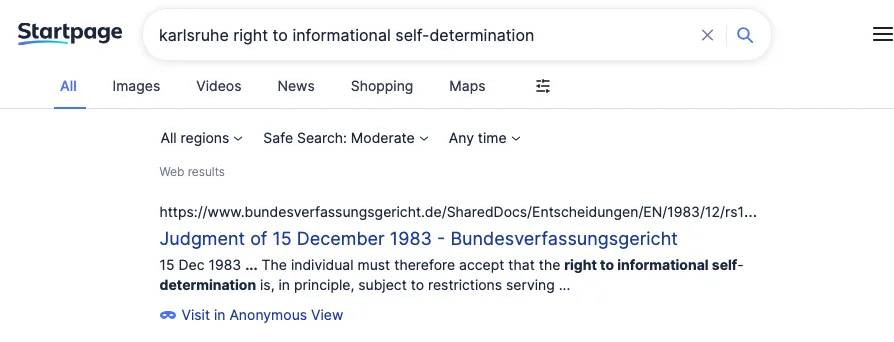
Searching throughout the document for the word ‘President’ gives the surname ‘President Benda’. Concatenating the DDMMYYYY date and ‘Benda’ give the flag.

Flag: osintuk{15121983Benda}
SIDE QUEST: Production Value (3pts)
Alex: While you are looking at that video file, I’m curious about how the group operates. They clearly have some technical skills to be embedding single-frame QR codes in videos.
Task: Identify what software was used to edit and render this video.
Answer Format:
- Use the osintuk{answer} format.
- Replace spaces with underscores.
e.g. osintuk{Adobe_Premiere}
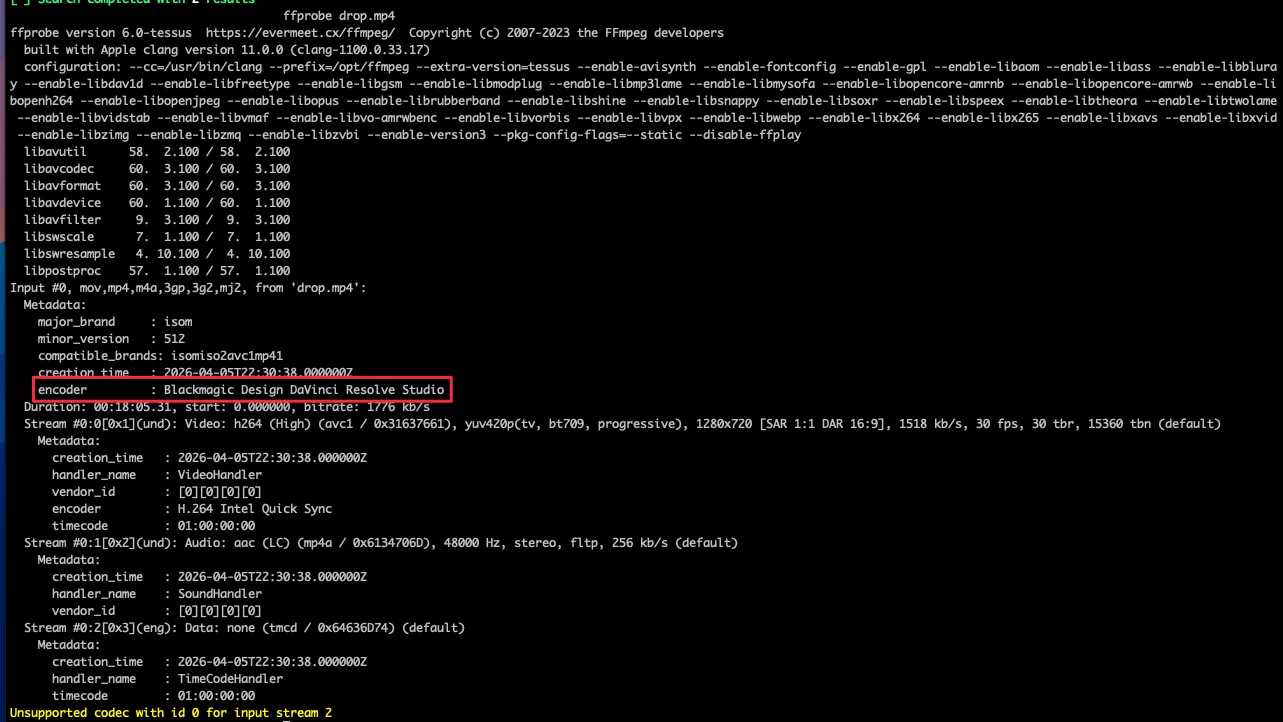
FFprobe is a fantastic command line query for querying video files. It can be ran after downloading and installing ffmpeg. In this case, applying it in the CLI on the drop.mp4 video reveals the video encoder: Blackmagic Design DaVinci Resolve Studio.
Blackmagic Design is the name of the developer. The software itself is commonly called ‘DaVinci Resolve’, and the example flag (‘Adobe Premiere’) implies that this form is the one sought by the challenge master. This resolves the flag.
Flag: osintuk{DaVinci_Resolve}