VeiledAthena
Operation Carbonado
Tip-Off (2pts)
DISCLAIMER: This CTF is a fictional storyline based in 2025 , any real locations mentioned are just part of the game.
CTF created by Maskedbee & Brie
Scenario:
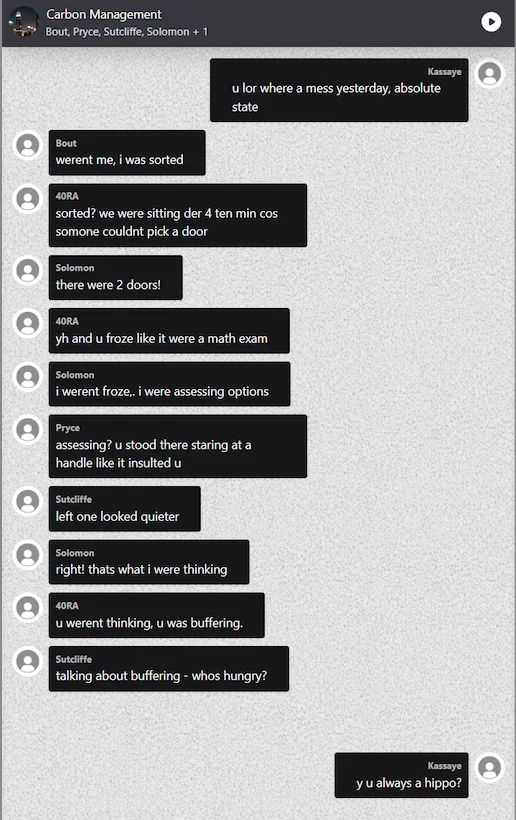
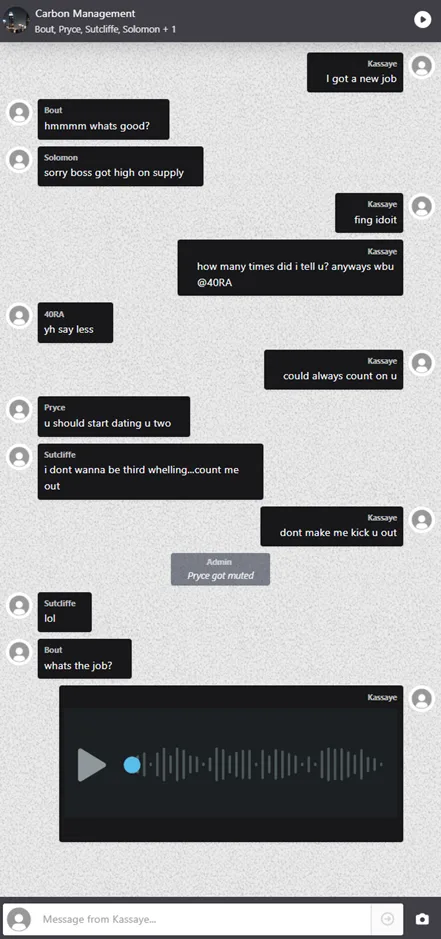
A tip-off has drawn attention to unusual activity that may be linked to a high-stakes operation. An informant, a hookup of one of the key participants, discreetly captured multiple screenshots of a group chat on a mobile phone.
The recovered screenshots show a group conversation involving several individuals.
Your Task:
Analyse the chat and determine which participants are actively involved in the planning and coordination of the operation.
Answer Format:
- Use the osintuk{answer} format
- Separate usernames using underscores
- Enter the aliases in Alphabetical order
e.g. osintuk{N0V4X_ECH0_L3X0N}
Clue: The example flag lists 3 words, indicating there’d be that many to keep an eye out for.
‘Planning and coordination’ are the key words here, beyond merely being involved.
‘Kassaye’ has a new job. ‘40RA’ is in. ‘Bout’ appears intrigued by the offer of work, and was ‘sorted’ during the operation. Concatenate the three, and we have our first flag.
It’s not evident if ‘40RA’ is meant to be taken as a number (4) or in standard English translation (‘FORA/SORA’) for this clue. The flag puts it in first position.
Flag: osintuk{40RA_Bout_Kassaye}
Broken Voice (5pts)
Scenario:
Kassaye previously sent an audio recording to the team. After a basic review, nothing immediately stood out, so the file has now been escalated to you as the specialist.
Your Task:
Conduct a deeper, more detailed analysis of the audio file. Identify any anomalies, hidden information, patterns, or clues that might indicate what type of job the individuals are planning.
Answer Format:
- Use the osintuk{answer} format
e.g. osintuk{Assassination}
The audio clip contains a lot of high-pitched bleeps and bloops - a strong indicator that this will need spectrometry visualisation to unveil some form of code. Time to take this to Audacity.
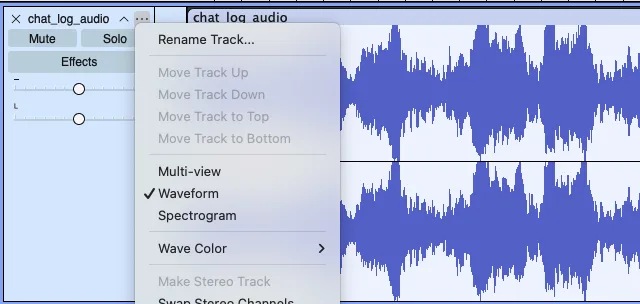
Open Audacity, import the .mp3 track, and click the ellipsis on the left-hand side. ‘Waveform’ is selected by default. Click on ‘spectrogram’ to reveal the hidden clue: 73 65 68 69 74.
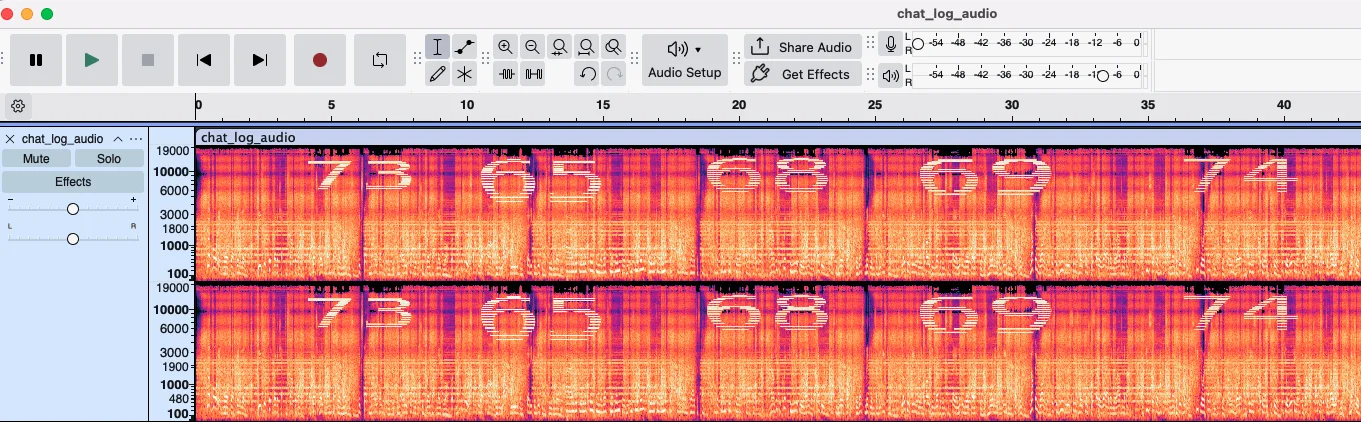
To my eyes, this looks distinctly hexadecimal in nature. Heading to any decoder website online will allow us to find out for sure - or, if you prefer, asking your preferred AI chatbot. I personally used Cryptii for this.
This revealed a string of ‘sehit’ - an anagram of ‘heist’!
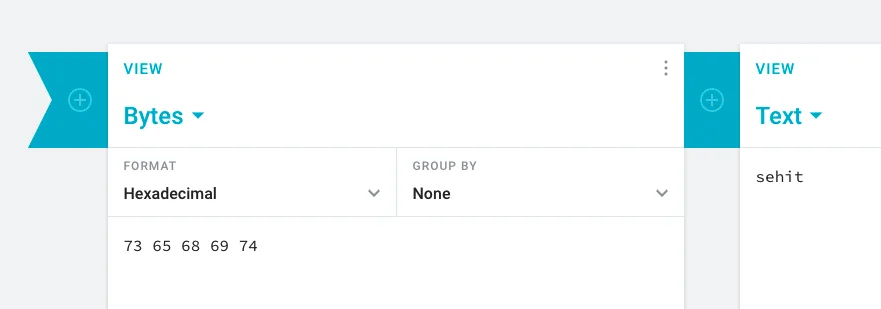
Flag: osintuk{heist}
Ride Recon (5pts)
Scenario:
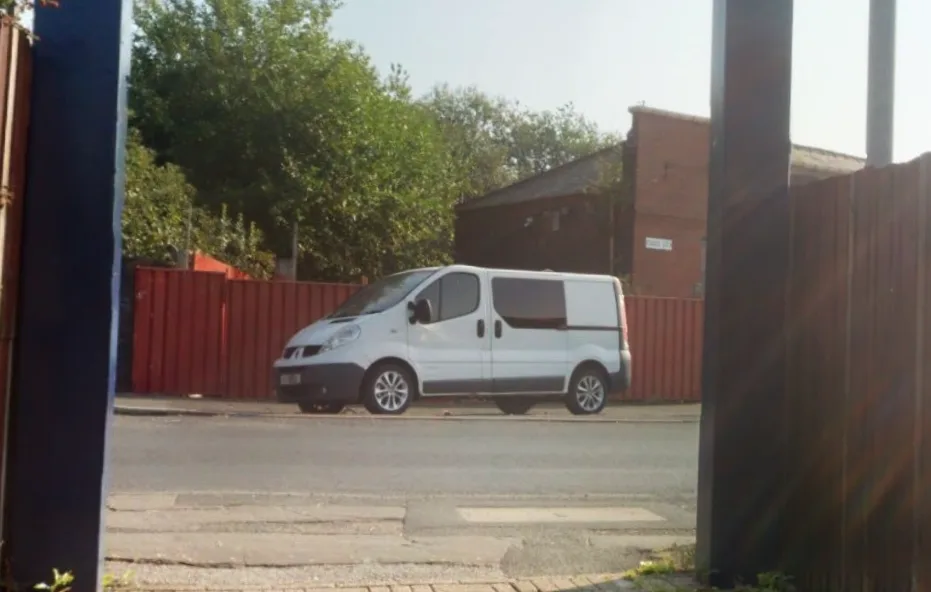
A participant shares a photo of a vehicle they have recently acquired, sparking a brief conversation among the team. The picture is a little blurry and the make and model can not be identified easily.
Your Task:
Use available mapping tools to see if a closer view is available and work out the vehicle’s make and model based on the visual details you can gather.
Answer Format:
- Use the osintuk{answer} format
- Separate the make and model with an underscore
e.g. osintuk{Nissan_Qashqai}
My first instinct here was to put the image of the train station into Google Lens to see if it could be easily identified that way. Embarrassingly, this led me straight to a walkthrough for this entire operation, which I won’t be linking here. Cheaters never prosper, so I ignored it and chose another route.
Zooming in on the train station image showed two train termini: Manchester to Rose Hill Marple.
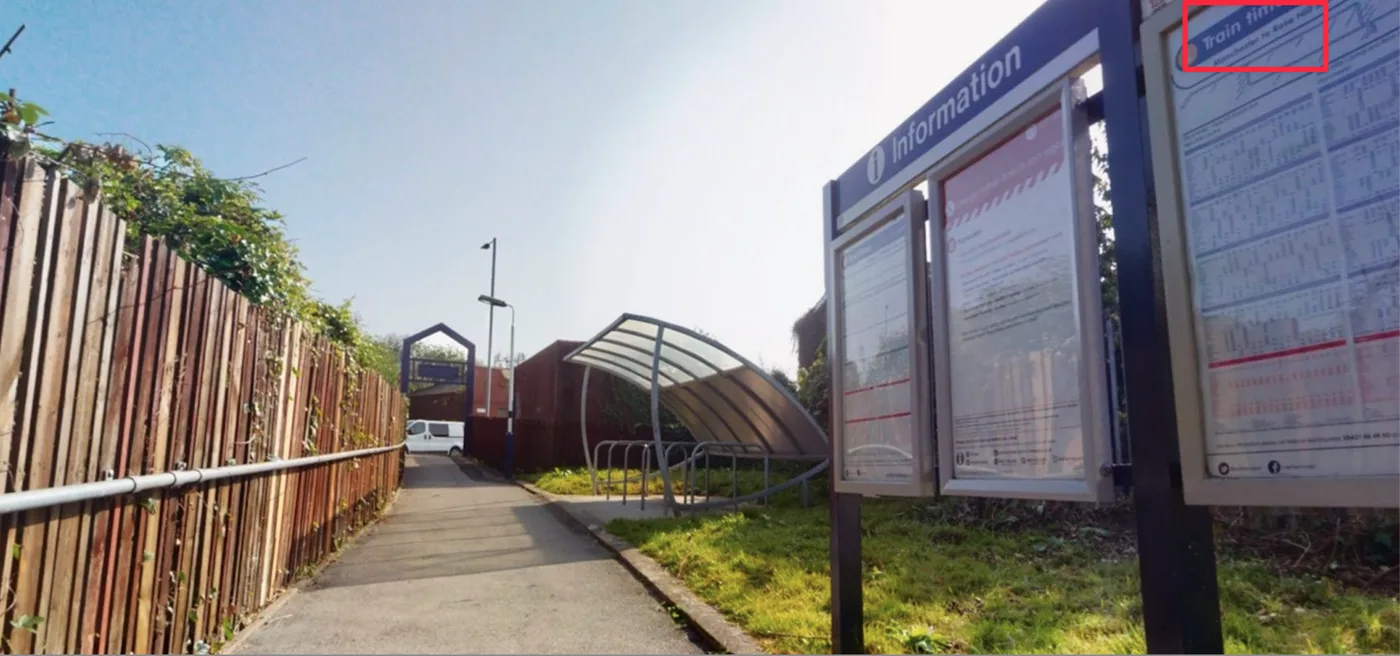
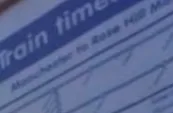
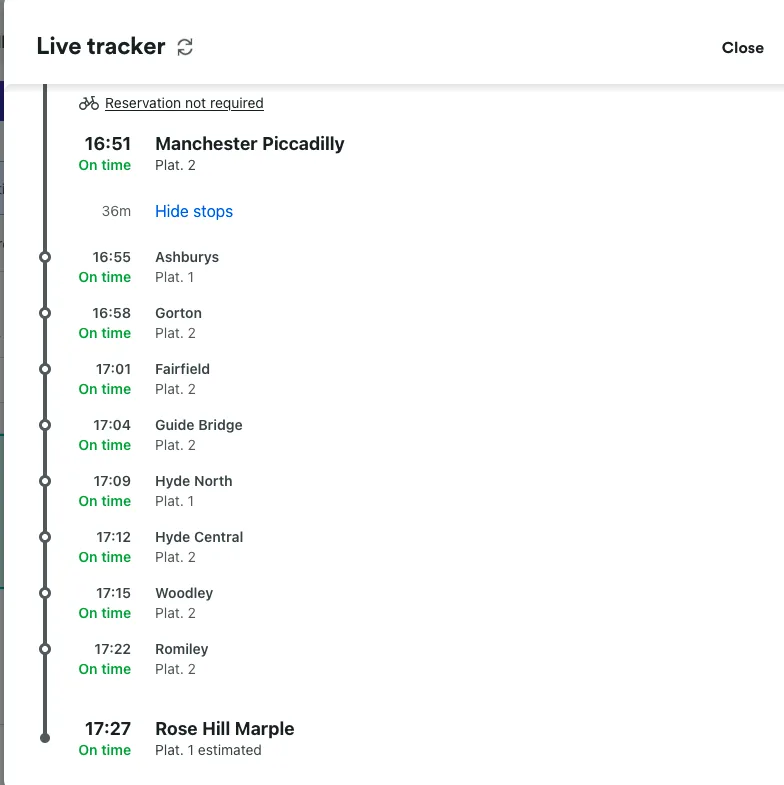
A search on Trainline along the route showed a few different stops. At that point, I checked each stop against the reference images until I found a match - in this case, Gorton Station.
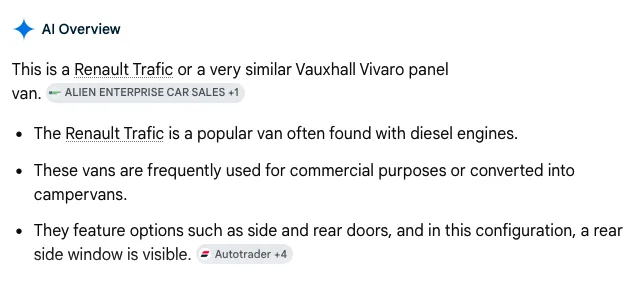
Street View locations around the station showed the van in question, allowing for a more accurate Google Lens attempt. Google Lens suggested a Renault Trafic, which is our flag.
Flag: osintuk{Renault_Trafic}
Platform Pursuit (4pts)
Scenario:
Using the chat logs and information gathered so far, determine which station the boss has arrived at and what time they arrived. 40RA took and sent the photo of their position in the chat, then shortly after that image was sent, Kassaye replied with “just arrived… walking up now”.
Your Task:
Figure out the station code, arrival time and platform number for Kassaye.
Answer Format:
- Use the osintuk{answer} format
- Separate them with an underscore
- Remove special characters
e.g. osintuk{LDS_1609_5}
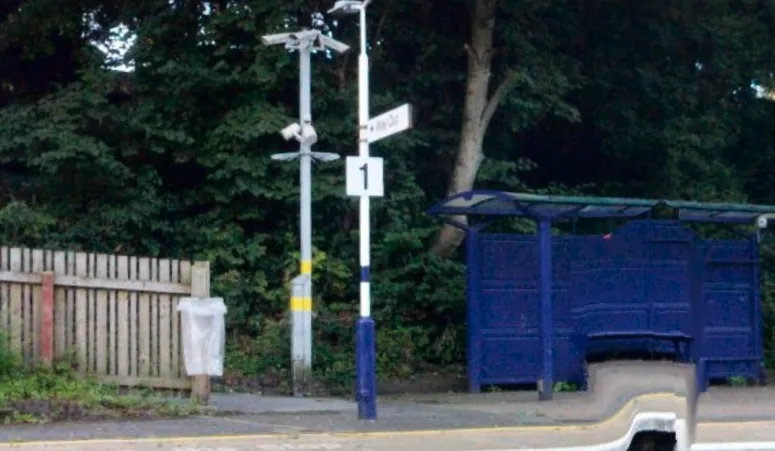
We know the station to be Gorton. A cursory Google search found ‘GTO’ as the station code. Google Street Map imagery of the station platform shows Platform 1 to be the opposite side, meaning Kassaye arrived at Platform 2.
In regards to the time, the challenge setters may have given us a clue by including the arrival photo as a separate image. This seems odd - why not just leave us with the chat screenshots? My mind immediately goes to metadata, so I take the image to Exif Tools immediately to hunt for a timestamp.
Lo and behold, we find one - or rather, two. The image was created at 11:37 on 12th July 2025, and was seemingly digitised an hour later. Both give sufficient information to attempt the flag.
11:37 doesn’t get it, but 12:37 does.
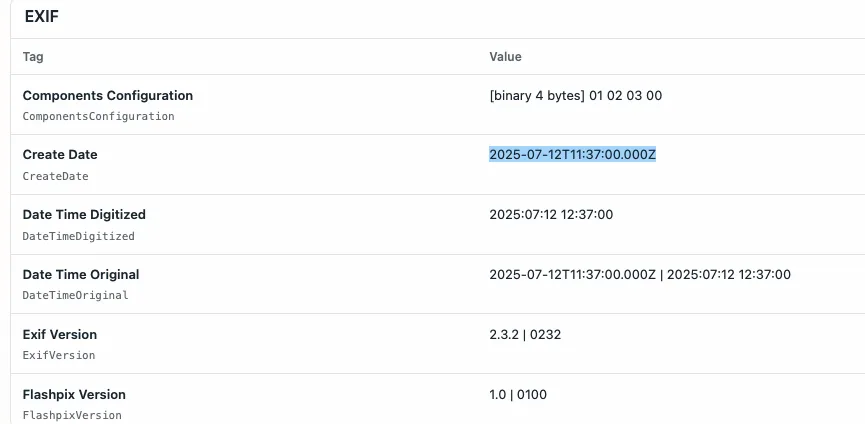
Flag: osintuk{GTO_1237_2}
Armed Intel (4pts)
Scenario:
The vehicle’s been confirmed, and movement is underway. Shortly after, another image drops. Showing three rifles upright against a background.
Your Task:
Identify the models of the rifles shown in the image.
Answer Format:
- Use the osintuk{answer} format.
- Replace any spaces and special characters with underscores
- Order from top to bottom in order of the photo.
e.g. osintuk{Glock_19_Dragunov_SVD_RPG_7}
This is broadly a test of reverse image searching ability. We’re given a helping hand by the second gun, which displays branding information on its (seemingly proprietary) magazine.
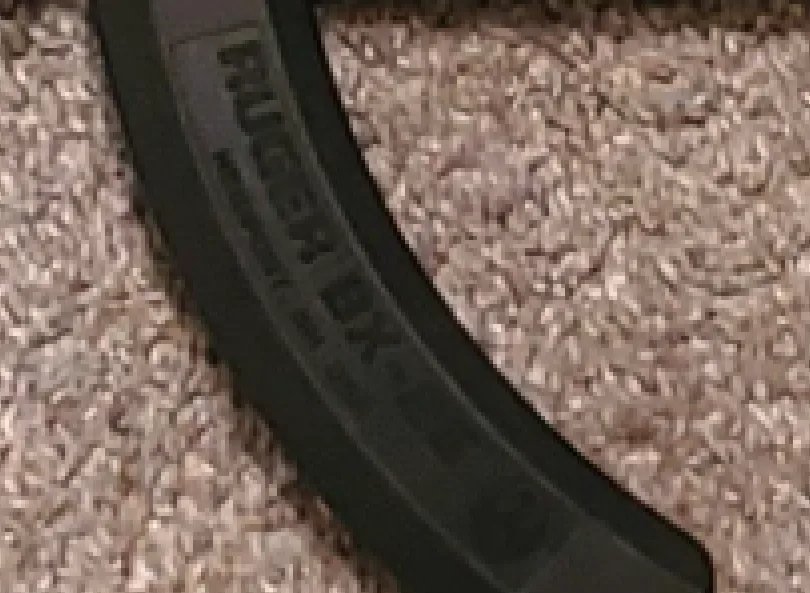
It appears we’re in Ruger territory.
Reverse image searches with Google Lens identified the rifles as the following (top to bottom):
Ruger Mini-14 Ruger 10/22 Mossberg Maverick 88
I made a mistake in submitting here; I submitted the flag with the makes included, despite the challenge asking for just the models. Removing the makes gave the flag.
Flag: osintuk{Mini_14_10_22_Maverick_88}
Last Pick (7pts)
Scenario:
The boss has already been picked up at the train station. The driver now needs to collect the final member of the group. Investigators have now gained full remote access to the device and one of the members have given a clue to their pickup location. By carefully analysing the image, you should be able to determine the city and the name of the statue where the final member is waiting.
Your Task:
Analyse the image and determine the city and the name of the statue they are being picked up from.
Answer Format:
- Use the osintuk{answer} format.
- Replace any spaces with underscores.
e.g. osintuk{Manchester_United_Trinity_Statue}
Our first step here is to find the city. I started by taking the red-background reference image and putting them into Google Earth Pro. By correlating the crosshair with the three cities given, I was able to pinpoint Sheffield as the target city.
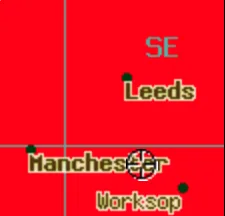
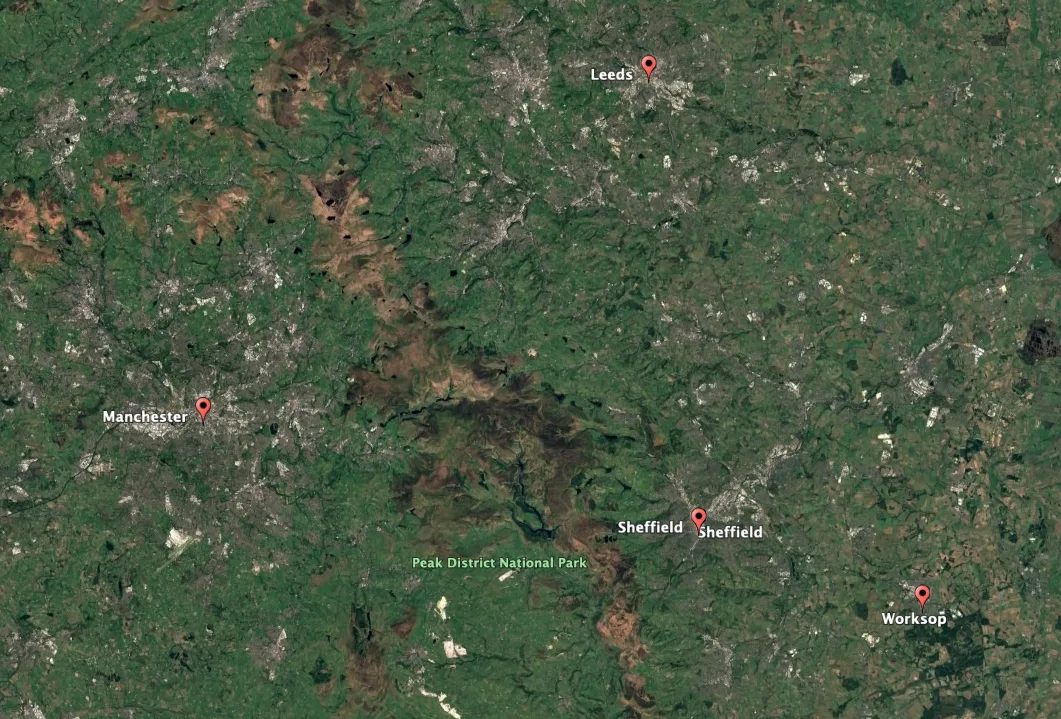
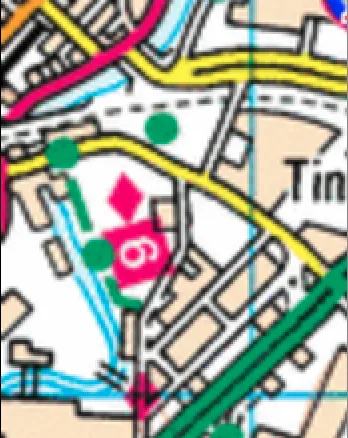
Now to the map. Searching on Google Maps for ‘Sheffield Tin-‘ offers an autocomplete for ‘Tinsley’, an area of the city. The map also shows a river, which we can follow to triangulate the location.
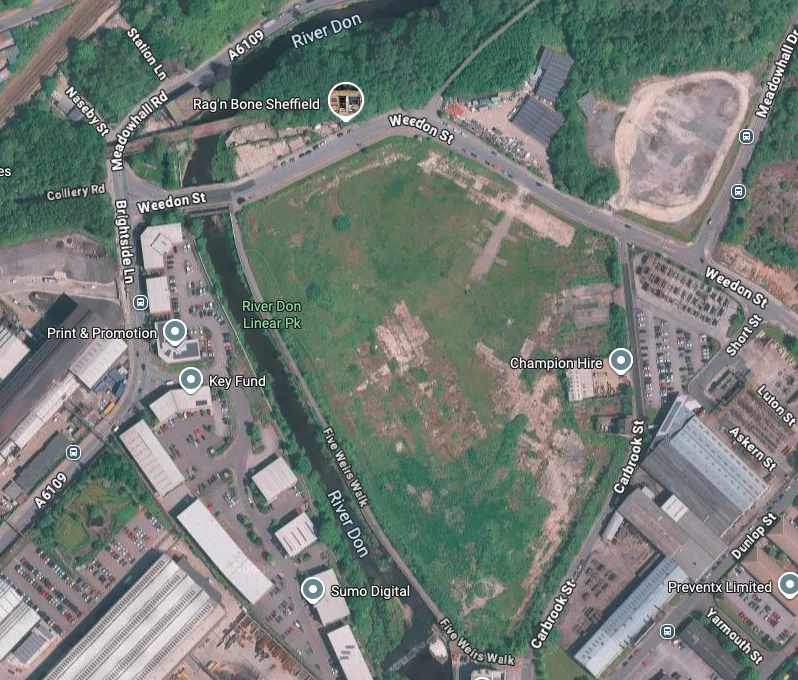
I noticed this zone is directly next to Meadowhall - Sheffield’s famous shopping centre. I spent some time searching around the zone in question, and eventually found the ‘Teeming Statues’ just north of the OS map snippet’s location.
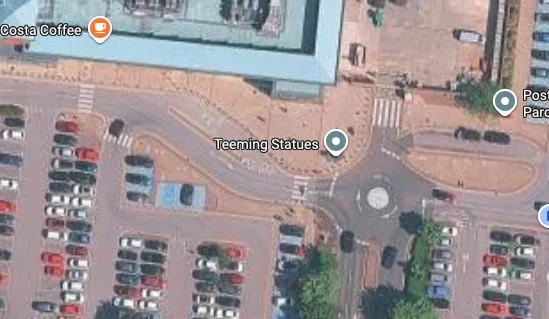
Flag: osintuk{Sheffield_Teeming_Statues}
Secret Signal (7pts)
Scenario:
The group’s leader has ordered everyone to switch to radios. Investigators have intercepted a radio transmission of strange tones. At first glance the message seems meaningless, but it likely requires a key.
Your Task:
Decode the audio and review all previous evidence to find possible references to the cipher key.
Answer Format:
- Use the osintuk{answer} format.
- Remove any spaces.
e.g. osintuk{testingonetwo}
This is a fun one! The .wav file is instantly recognisable as morse code. I used the Morse Code Adaptive Audio Decoder to transcribe the file into Latin text. It was at this moment that I realised there truly is a website for everything.
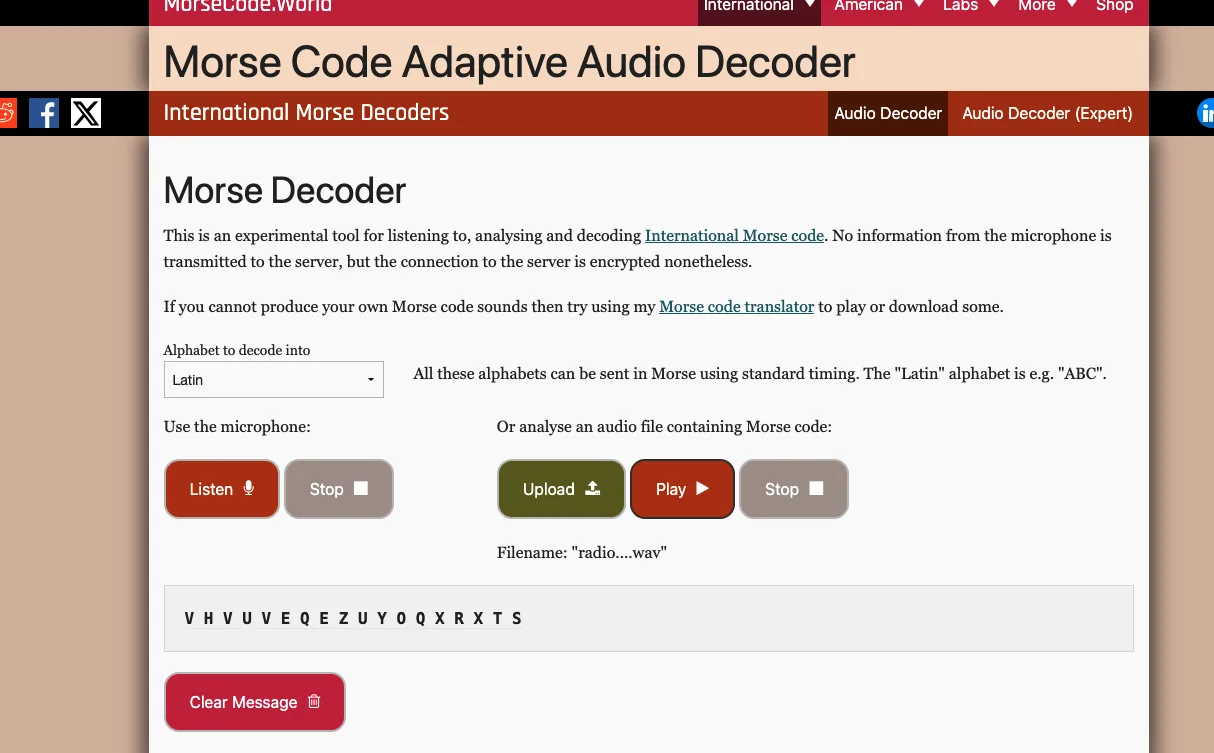
That leaves us with the following clue to decrypt: V H V U V E Q E Z U Y O Q X R X T S. Brute forcing Caesar cyphers didn’t help. The clue mentioned there being a key in previous evidence, so I thought this likely to be a Vignere cypher.
That being the case, that meant reviewing all evidence to find the key.
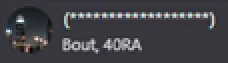
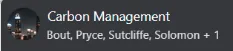
I noticed that, in all images, the group chat names were starred out - with one exception. The initial group chat image listed the name as ‘Carbon Management’.
I used dcode.fr to attempt the key, and was happy to see the hunch pay off.
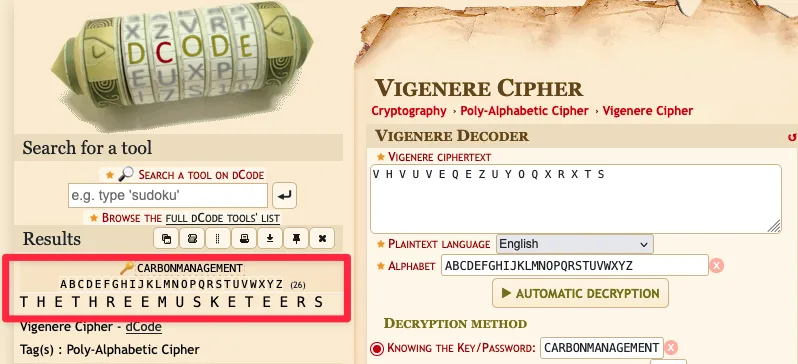
Flag: osintuk{thethreemusketeers}
Blind Lead (10pts)
Scenario:
Instigators have found a new lead through from the infiltrated device. Inside the notes app, there are multiple entries - personal observations, reminders, and seemingly random details. Careful analysis of the entries may reveal critical information.
Your Task:
Analyse the entries and crack the coded notes and identify the hidden location.
Answer Format:
- Use the osintuk{answer} format.
- Replace any spaces with underscores.
e.g. osintuk{shipment_base}
Note 1: STEPS Note 2: 9/14/19/5/18/20. Corresponds to alphabet as ‘I/N/S/E/R/T’ Note 3: Numbers. 7/12/15/22/5 - G/L/O/V/E
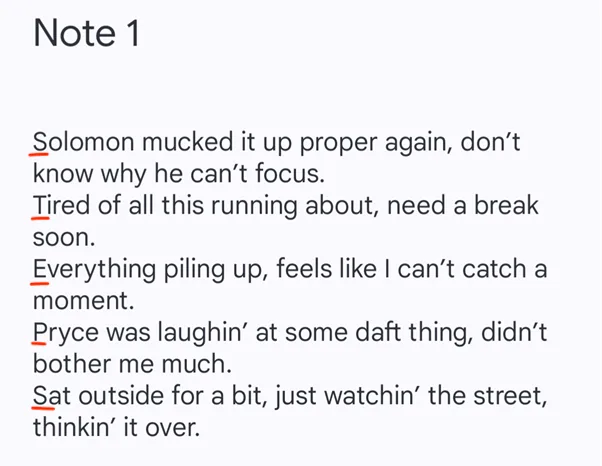
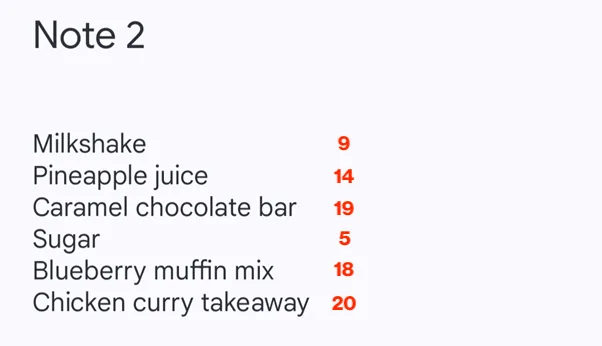
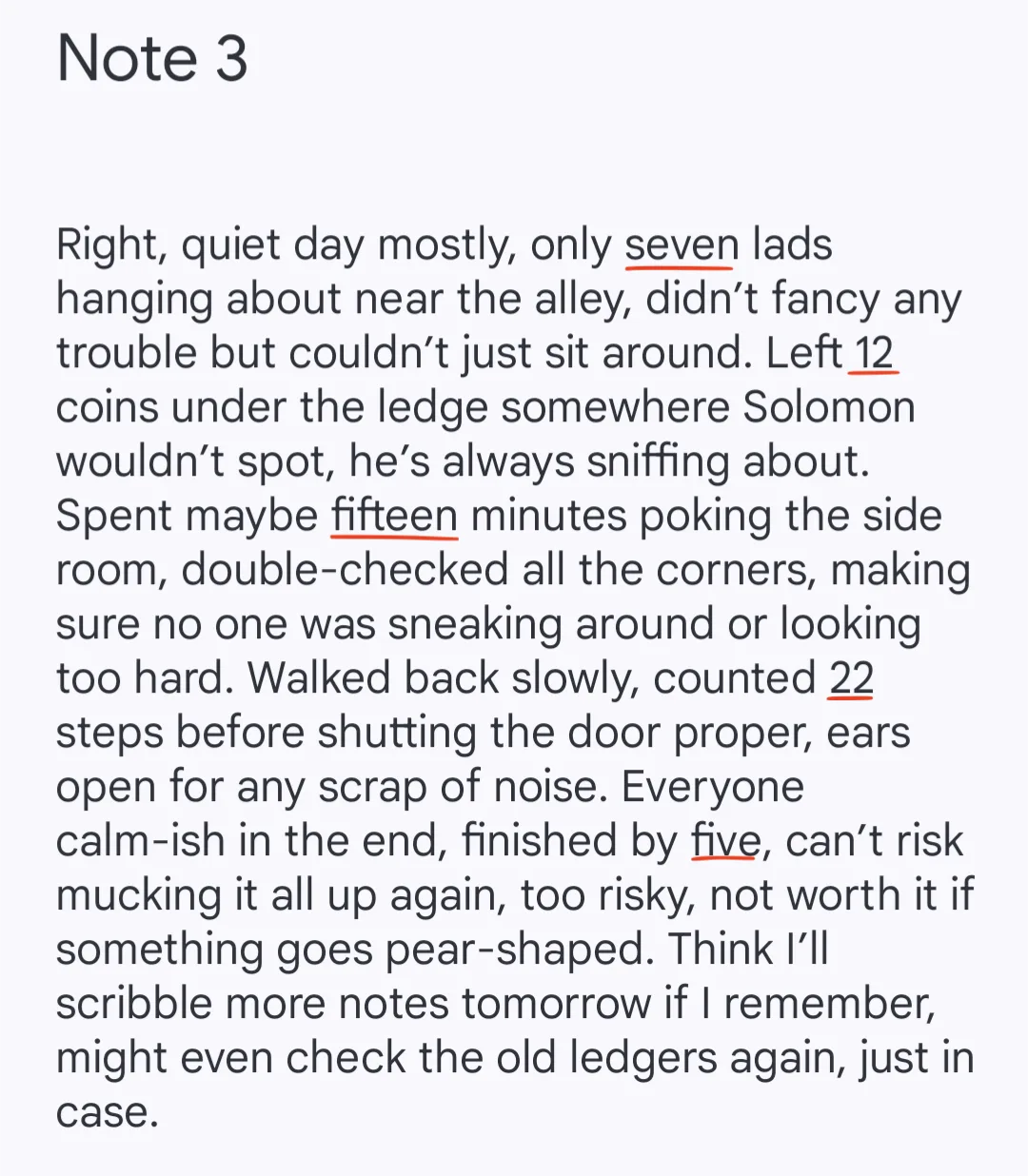
We’re now left with ‘Steps Insert Glove’. While nonsensical at first blush, this looks like a What3Words location if ever I saw one. Searching for it on the platform takes us to Bradford.
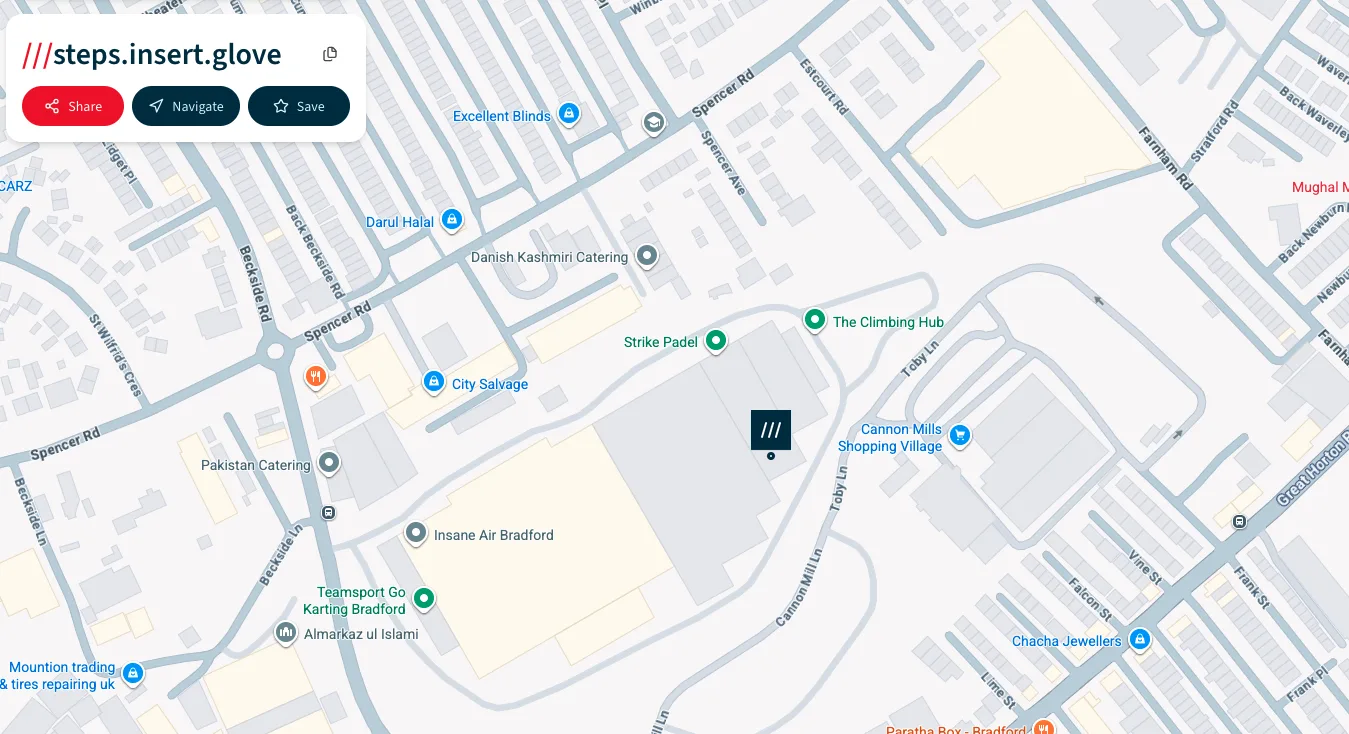
Google Street View imagery indicates the place to be a storage warehouse of some form. The example flag in the challenge - ‘shipment_base’ - suggests the answer’s something along those lines, and likely two words.
An attempt of ‘warehouse’ was incorrect. ‘Packaging warehouse’ turned out to be the correct answer.
Even after getting the flag, I couldn’t find more concrete evidence on the ground suggesting the flag as being ‘packaging warehouse’ over any other solution (i.e. ‘storage depot’). Please do let me know if I’ve missed anything.
Flag: osintuk{packaging_warehouse}
Quick Snap (5pts)
Scenario:
It appears the group visited the packaging warehouse before going to another location. The informant has just received an image from her partner showing this location, which contains subtle details that could help identify his whereabouts.
Your Task:
Examine the image and identify the location.
Answer Format:
- Use the osintuk{answer} format.
- Replace any spaces with underscores.
e.g. osintuk{grid_motors}
This looked intimidating at the start, but wasn’t too hard. Searching on Google Maps for ‘motorcycle store Bradford’ brought up a limited list. Hovering over the names of the results showed a match within seconds: Race Ready Mx.
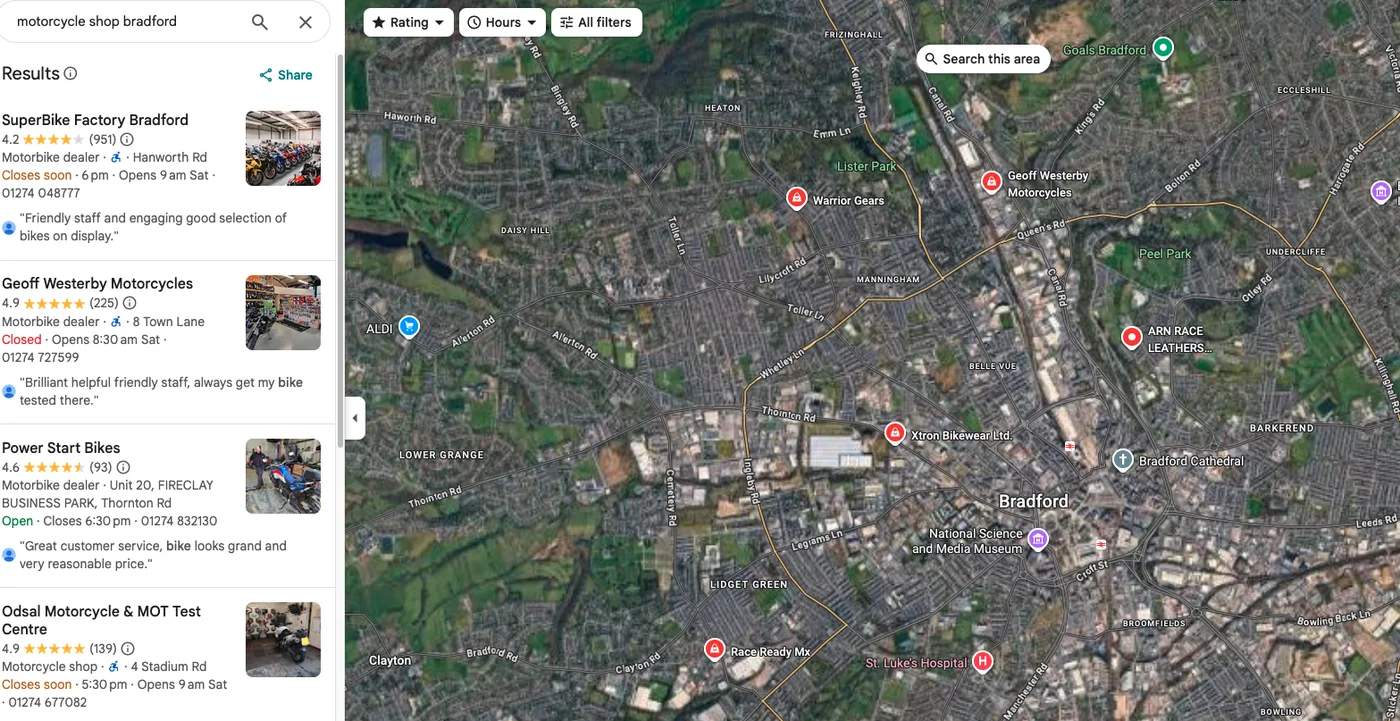
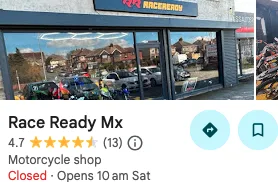
Flag: osintuk{race_ready_mx}
Closing In (4pts)
Scenario:
Investigators have looked through the previous chat logs and uncovered some vital information about the job. The messages hint at the place they have been planning all along.
Your Task:
Analyse the chat and determine the name of the place they have been targeting.
Answer Format:
- Use the osintuk{answer} format.
- Replace any spaces with underscores.
e.g. osintuk{highstreet_cafe}
The suppled image contains a partial Telegraph & Argus news link. Running that URL on Google gives the full link to a news article, which in turn shows ‘The Gold Shop’ as the intended target.
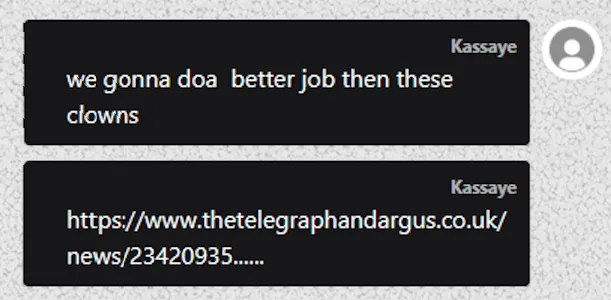
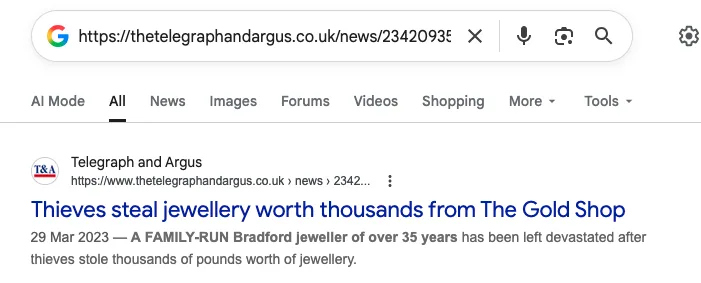
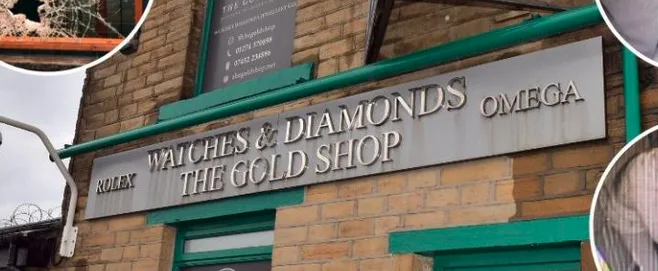
Flag: osintuk{the_gold_shop}
Back Door (6pts)
Scenario:
The previous chats infers that they believe breaking in through a back room will be most effective.
Your Task:
Determine what type of room is at the back of the buiding on the ground floor.
Answer Format:
- Use the osintuk{answer} format.
e.g. osintuk{office}NOTE: Upon completing this challenge, closing information will be provided in the “Solution” tab.
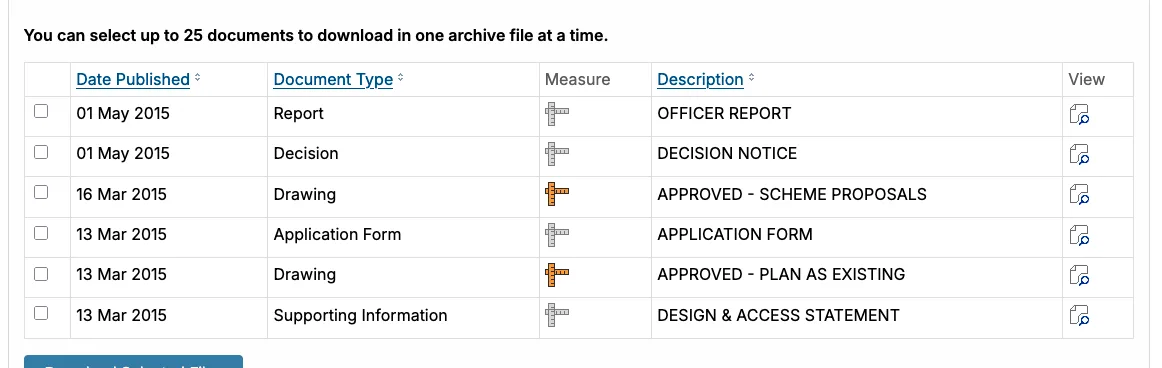
My immediate thoughts went to getting a layout of the property through Zoopla and Rightmove records, but I realised that was unlikely to produce results given its commercial nature. Instead, I moved over to planning application licences. Sure enough, a search against the postcode on Bradford City Council’s website provided a planning application for The Gold Shop.
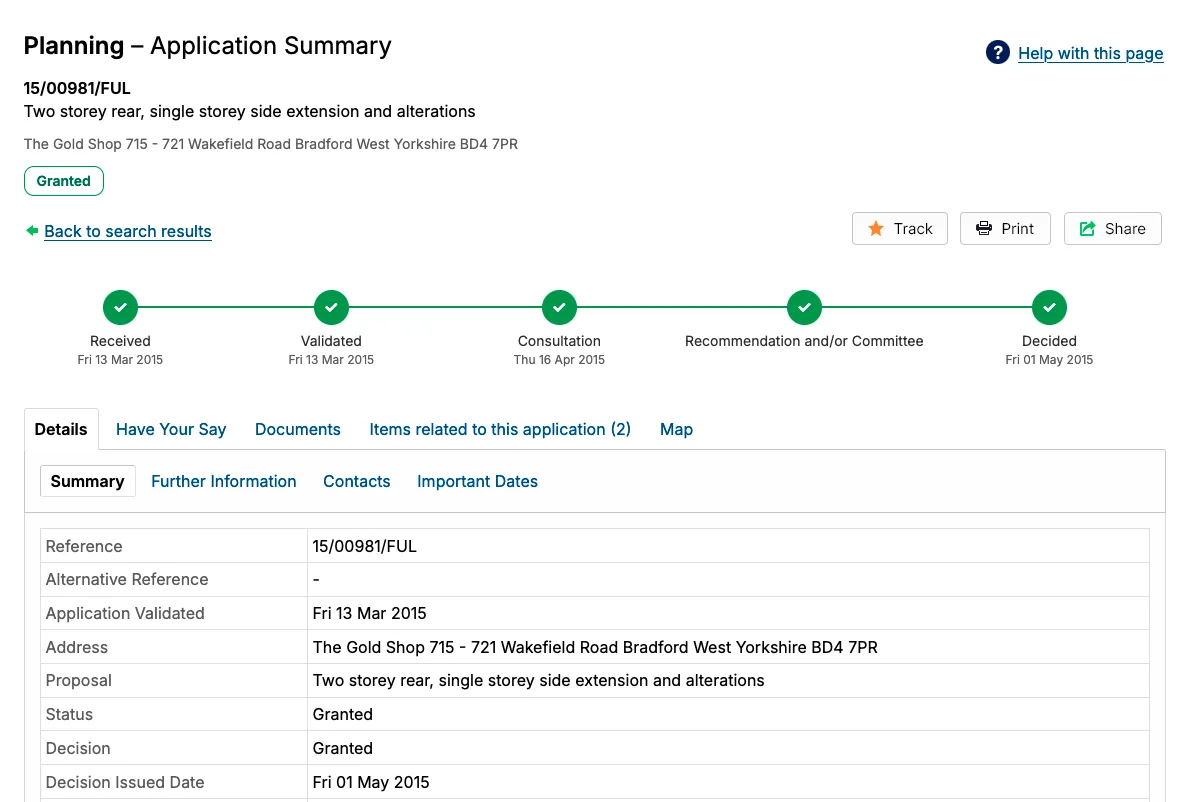
The website has a cache of files related to the application, including a drawing.
Upon observing the drawing, we can see the back-most room appears to be a kitchen.
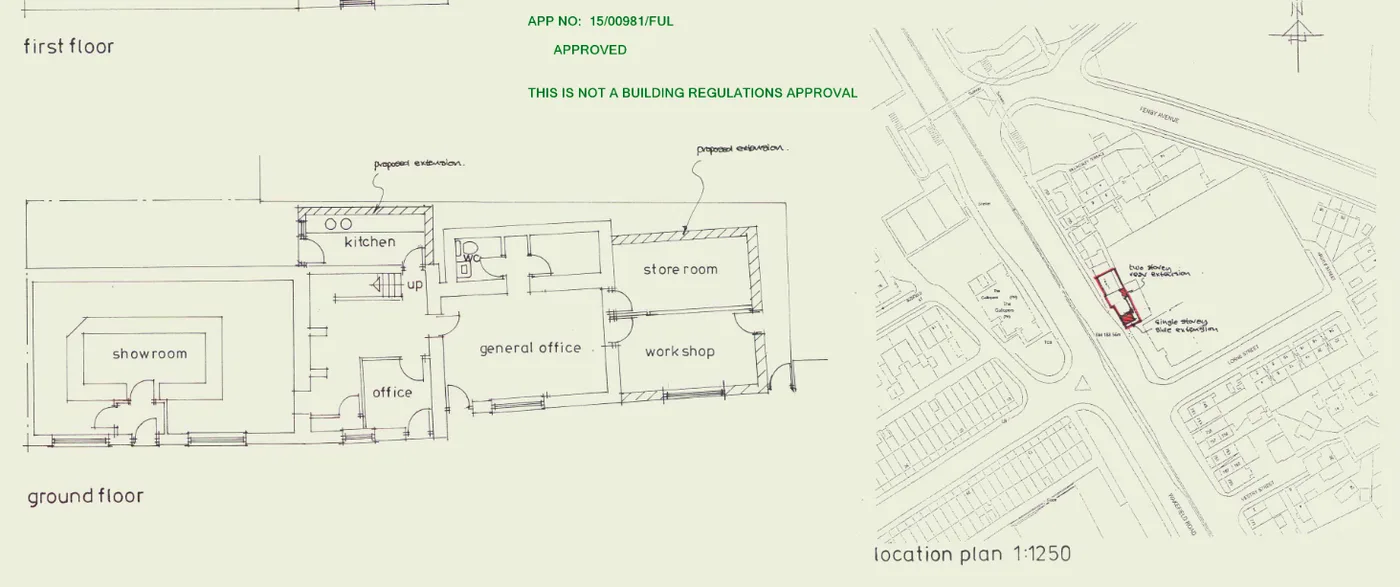
Flag: osintuk{kitchen}
SIDE-QUEST: Buried History (2pts)
Scenario:
The station sits in Gorton, an area surrounded by local tales of a violent battle. Historians are sceptical of these stories, but hints in the surroundings suggest a settlement once existed, remembered in legend as having a notorious name.
Your Task:
Investigate the local stories and area to uncover the legendary name of the settlement tied to Gorton.
Answer Format:
- Use the osintuk{answer} format
- Replace any spaces with underscores
e.g. osintuk{Green_Vale}
This one was as simple as a cursory glance on its Wikipedia page.
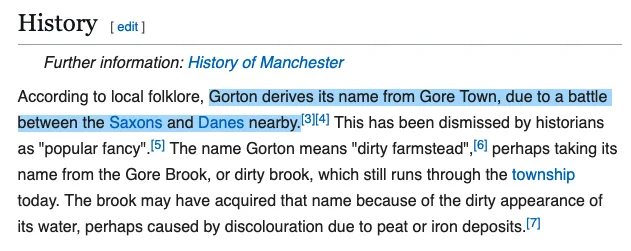
Flag: osintuk{Gore_Town}
SIDE-QUEST: Web Art (4pts)
Scenario:
Further investigation into the Teeming Statue reveals it was cataloged as part of a university’s online public art database.
Your Task:
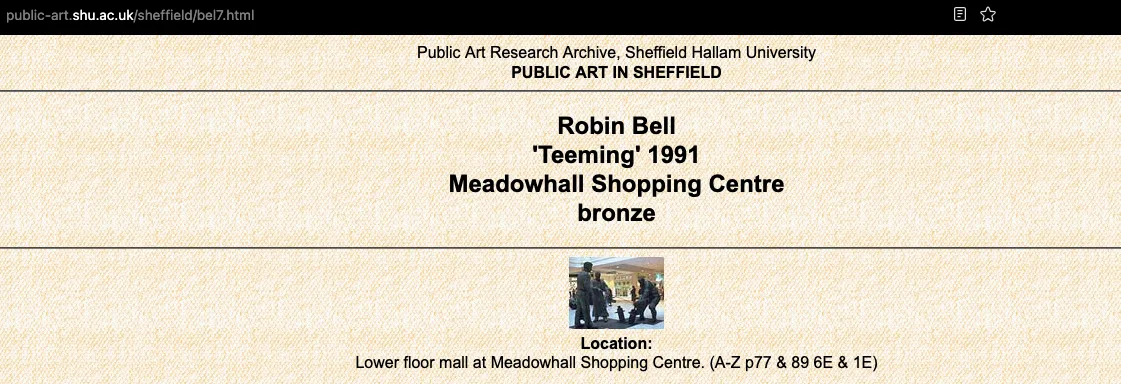
Locate the specific academic webpage dedicated to this statue and provide the filename of the URL.
Answer Format:
- Use the osintuk{answer} format
e.g. osintuk{grx8.html}
The statue is based in Sheffield, which itself is home to two universities: The University of Sheffield and Sheffield Hallam University.
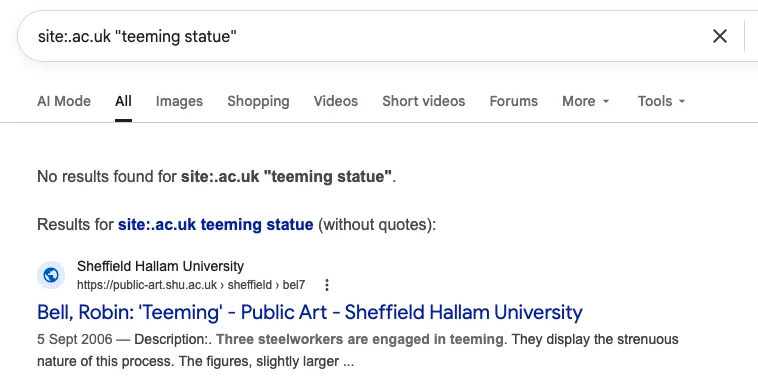
Searching for the Teeming Statue against the TLD .ac.uk takes us to the page. I used .ac.uk in order to account for both universities, and more specifically yet, I used the following string:
site:sheffield.ac.uk “teeming statue”
Apparently this was a slight error (the exact phrase ‘Teeming Statue’ shouldn’t have been quote wrapped), but it’s sufficient enough to find the target.
Flag: osintuk{bel7.html}